Exploring data I

Lecture 4

John Zito

Duke University
STA 199 Spring 2026

2026-01-26

While you wait…

Prepare for today’s application exercise: ae-04-gerrymander-explore-I

  • Switch to your ae project in RStudio;

  • Make sure all of your changes up to this point are committed (ie there’s nothing left in your Git pane);

  • Click Pull to get today’s application exercise file: ae-04-gerrymander-explore-I.qmd.

  • Then push. So Render > Commit > Pull > Push.

  • (To see the new file, you may have to refresh the Files pane by clicking “Home”)

  • Wait till the you’re prompted to work on the application exercise during class before editing the file.

Exploratory data analysis

So far…

Data set Occasion Source A row was a…
age_guesses Lecture 0 file STAAWANANA student
penguins Lecture 1 package penguin
unvotes Lecture 2 package year-issue-country
nc_county Lab, HW file NC county
bechdel Lecture 3 file film
gerrymander Lecture 4 package district

Packages

library(usdata)
library(tidyverse)
library(ggthemes)

Data: gerrymander

gerrymander
# A tibble: 435 × 12
   district last_name first_name party16 clinton16 trump16 dem16 state party18
   <chr>    <chr>     <chr>      <chr>       <dbl>   <dbl> <dbl> <chr> <chr>  
 1 AK-AL    Young     Don        R            37.6    52.8     0 AK    R      
 2 AL-01    Byrne     Bradley    R            34.1    63.5     0 AL    R      
 3 AL-02    Roby      Martha     R            33      64.9     0 AL    R      
 4 AL-03    Rogers    Mike D.    R            32.3    65.3     0 AL    R      
 5 AL-04    Aderholt  Rob        R            17.4    80.4     0 AL    R      
 6 AL-05    Brooks    Mo         R            31.3    64.7     0 AL    R      
 7 AL-06    Palmer    Gary       R            26.1    70.8     0 AL    R      
 8 AL-07    Sewell    Terri      D            69.8    28.6     1 AL    D      
 9 AR-01    Crawford  Rick       R            30.2    65       0 AR    R      
10 AR-02    Hill      French     R            41.7    52.4     0 AR    R      
# ℹ 425 more rows
# ℹ 3 more variables: dem18 <dbl>, flip18 <dbl>, gerry <fct>

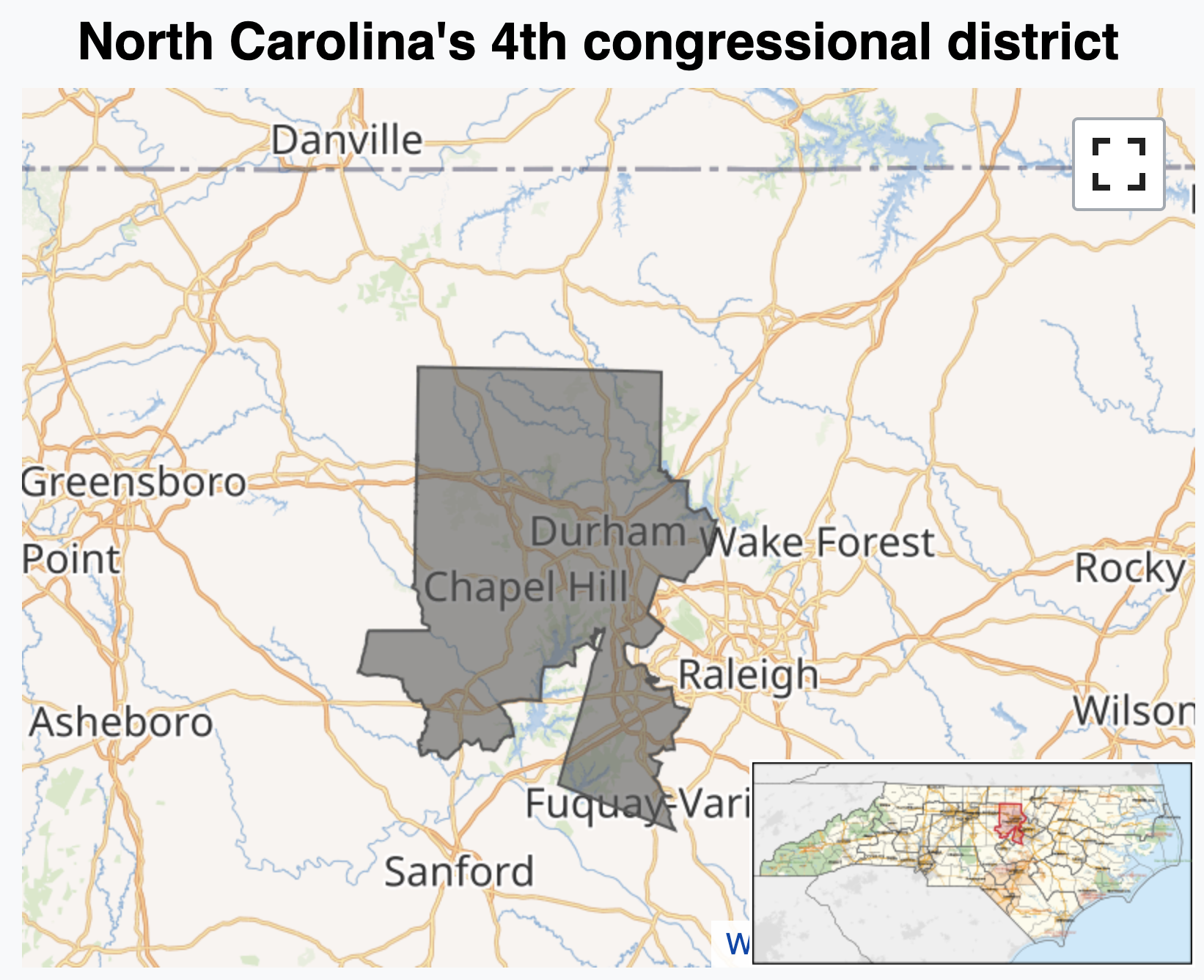
What is gerrymandering?

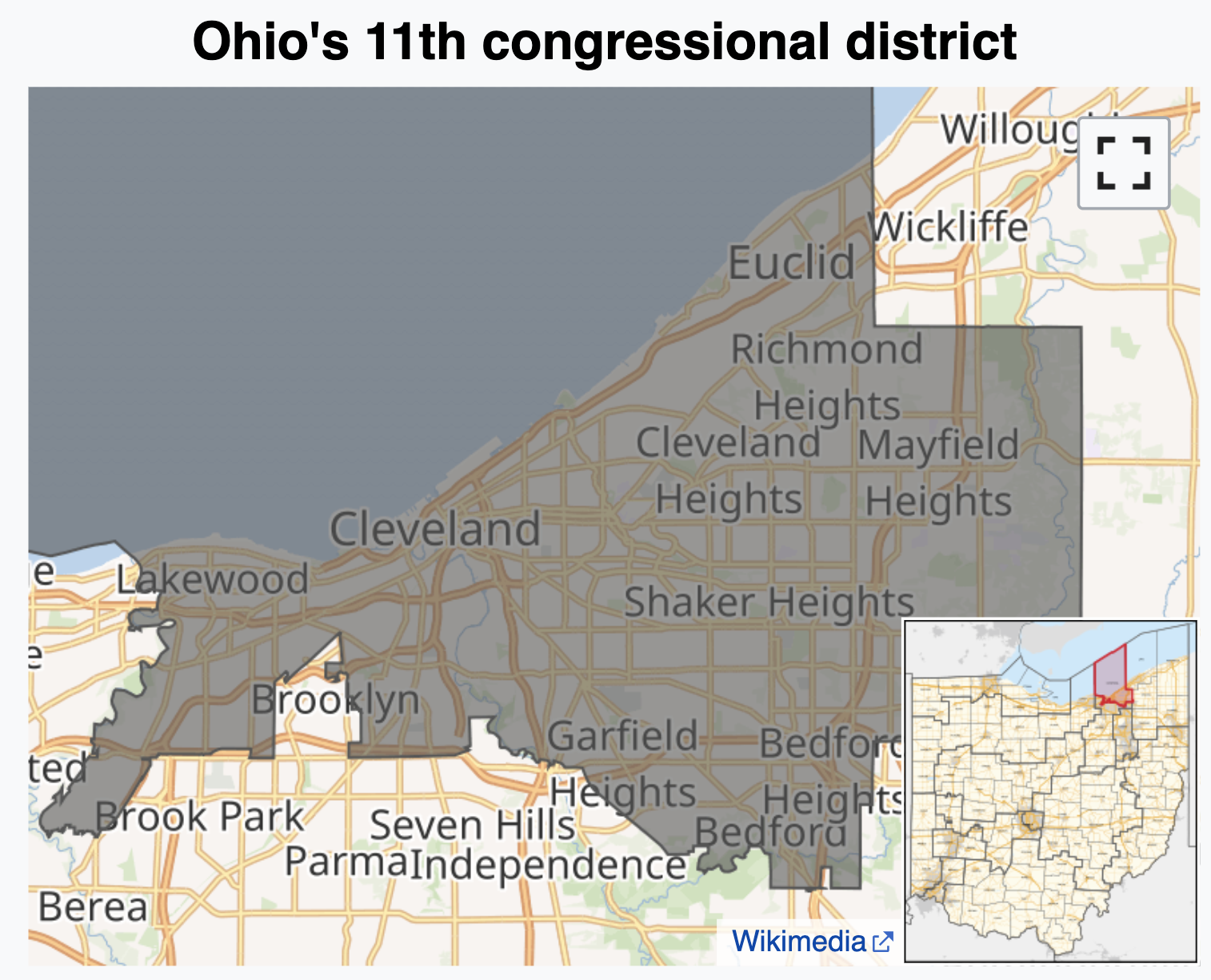
JZ’s tour of the USA

JZ’s tour of the USA
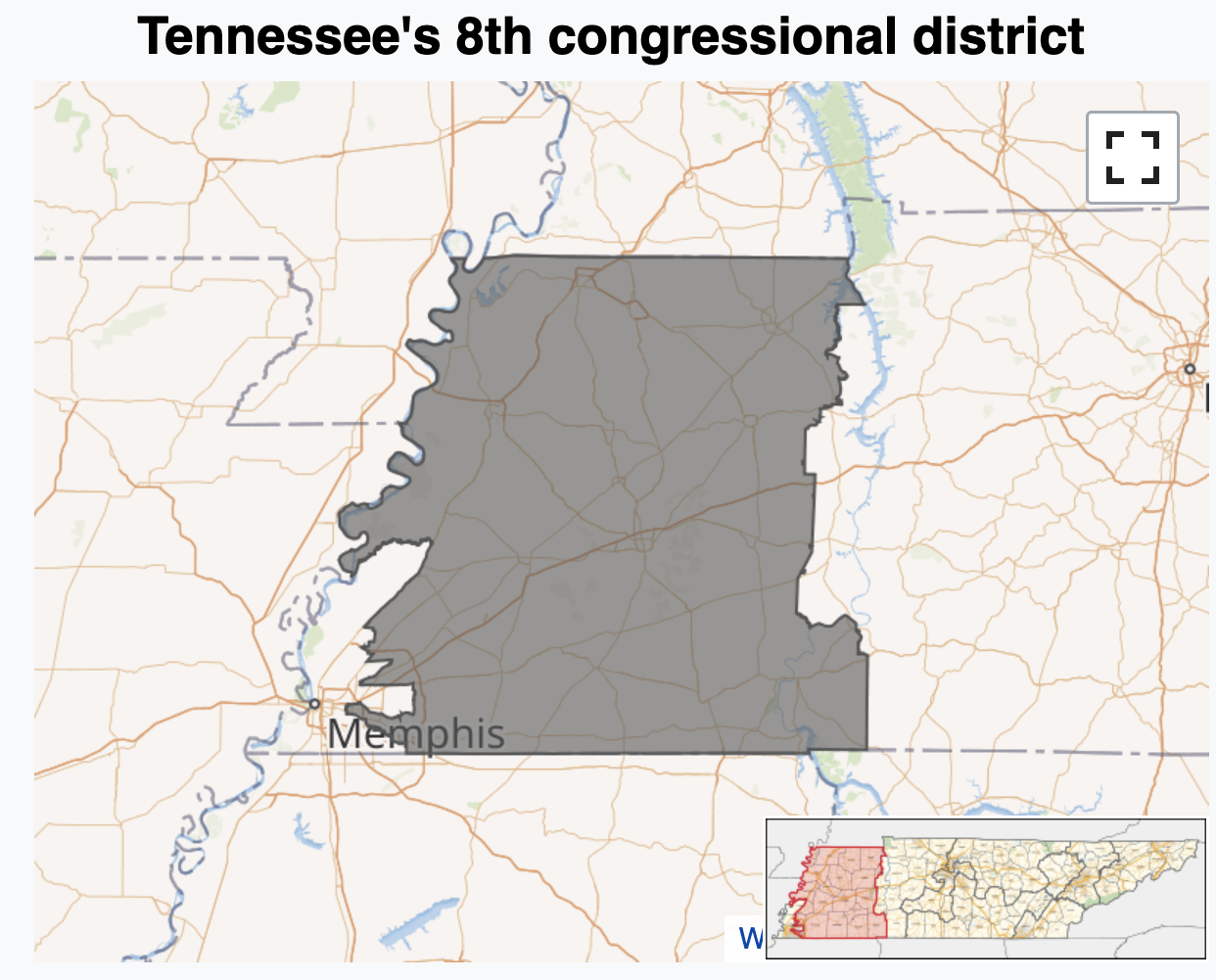
JZ’s tour of the USA
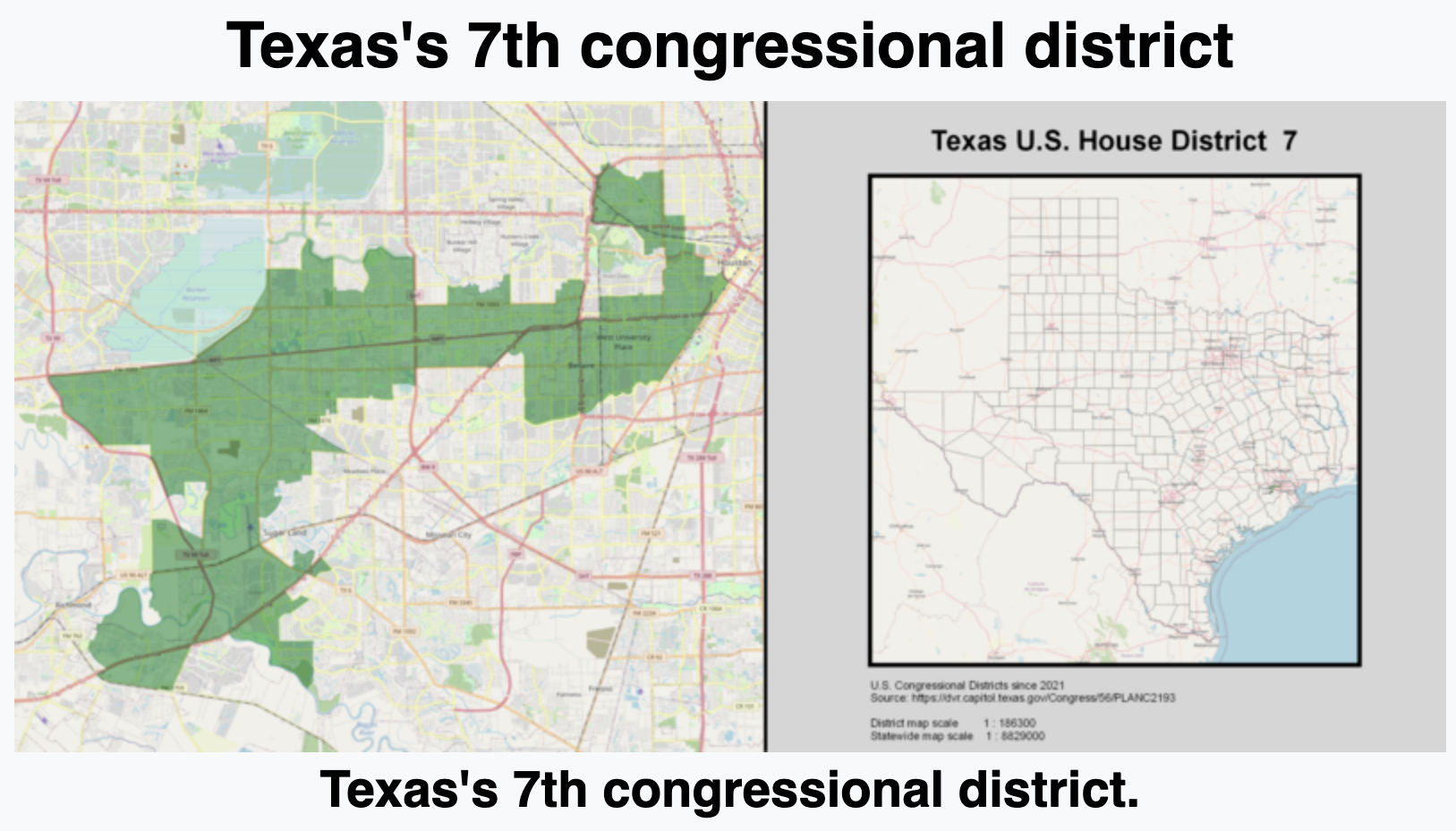
JZ’s tour of the USA
Data: gerrymander

What is a good first function to use to get to know a dataset?

glimpse(gerrymander)
Rows: 435
Columns: 12
$ district   <chr> "AK-AL", "AL-01", "AL-02", "AL-03", "AL-04", "AL-05", "AL-0…
$ last_name  <chr> "Young", "Byrne", "Roby", "Rogers", "Aderholt", "Brooks", "…
$ first_name <chr> "Don", "Bradley", "Martha", "Mike D.", "Rob", "Mo", "Gary",…
$ party16    <chr> "R", "R", "R", "R", "R", "R", "R", "D", "R", "R", "R", "R",…
$ clinton16  <dbl> 37.6, 34.1, 33.0, 32.3, 17.4, 31.3, 26.1, 69.8, 30.2, 41.7,…
$ trump16    <dbl> 52.8, 63.5, 64.9, 65.3, 80.4, 64.7, 70.8, 28.6, 65.0, 52.4,…
$ dem16      <dbl> 0, 0, 0, 0, 0, 0, 0, 1, 0, 0, 0, 0, 1, 0, 1, 0, 0, 0, 1, 0,…
$ state      <chr> "AK", "AL", "AL", "AL", "AL", "AL", "AL", "AL", "AR", "AR",…
$ party18    <chr> "R", "R", "R", "R", "R", "R", "R", "D", "R", "R", "R", "R",…
$ dem18      <dbl> 0, 0, 0, 0, 0, 0, 0, 1, 0, 0, 0, 0, 1, 1, 1, 0, 0, 0, 1, 0,…
$ flip18     <dbl> 0, 0, 0, 0, 0, 0, 0, 0, 0, 0, 0, 0, 0, 1, 0, 0, 0, 0, 0, 0,…
$ gerry      <fct> mid, high, high, high, high, high, high, high, mid, mid, mi…

Data: gerrymander

  • Rows: Congressional districts

  • Columns:

    • Congressional district and state

    • 2016 election: winning party, % for Clinton, % for Trump, whether a Democrat won the House election, name of election winner

    • 2018 election: winning party, whether a Democrat won the 2018 House election

    • Whether a Democrat flipped the seat in the 2018 election

    • Prevalence of gerrymandering: low, mid, and high

Variable types: district

Variable Type
district categorical, ID
last_name
first_name
party16
clinton16
trump16
dem16
state
party18
dem18
flip18
gerry

Congressional district:

gerrymander |>
  select(district)
# A tibble: 435 × 1
   district
   <chr>   
 1 AK-AL   
 2 AL-01   
 3 AL-02   
 4 AL-03   
 5 AL-04   
 6 AL-05   
 7 AL-06   
 8 AL-07   
 9 AR-01   
10 AR-02   
# ℹ 425 more rows

Variable types: last_name

Variable Type
district categorical, ID
last_name categorical, ID
first_name
party16
clinton16
trump16
dem16
state
party18
dem18
flip18
gerry

Last name of 2016 election winner:

gerrymander |>
  select(last_name)
# A tibble: 435 × 1
   last_name
   <chr>    
 1 Young    
 2 Byrne    
 3 Roby     
 4 Rogers   
 5 Aderholt 
 6 Brooks   
 7 Palmer   
 8 Sewell   
 9 Crawford 
10 Hill     
# ℹ 425 more rows

Variable types: first_name

Variable Type
district categorical, ID
last_name categorical, ID
first_name categorical, ID
party16
clinton16
trump16
dem16
state
party18
dem18
flip18
gerry

First name of 2016 election winner:

gerrymander |>
  select(first_name)
# A tibble: 435 × 1
   first_name
   <chr>     
 1 Don       
 2 Bradley   
 3 Martha    
 4 Mike D.   
 5 Rob       
 6 Mo        
 7 Gary      
 8 Terri     
 9 Rick      
10 French    
# ℹ 425 more rows

Variable types: party16

Variable Type
district categorical, ID
last_name categorical, ID
first_name categorical, ID
party16 categorical
clinton16
trump16
dem16
state
party18
dem18
flip18
gerry

Political party of 2016 election winner:

gerrymander |>
  select(party16)
# A tibble: 435 × 1
   party16
   <chr>  
 1 R      
 2 R      
 3 R      
 4 R      
 5 R      
 6 R      
 7 R      
 8 D      
 9 R      
10 R      
# ℹ 425 more rows

Variable types: clinton16

Variable Type
district categorical, ID
last_name categorical, ID
first_name categorical, ID
party16 categorical
clinton16 numerical, continuous
trump16
dem16
state
party18
dem18
flip18
gerry

Percent of vote received by Clinton in 2016 Presidential Election:

gerrymander |>
  select(clinton16)
# A tibble: 435 × 1
   clinton16
       <dbl>
 1      37.6
 2      34.1
 3      33  
 4      32.3
 5      17.4
 6      31.3
 7      26.1
 8      69.8
 9      30.2
10      41.7
# ℹ 425 more rows

Variable types: trump16

Variable Type
district categorical, ID
last_name categorical, ID
first_name categorical, ID
party16 categorical
clinton16 numerical, continuous
trump16 numerical, continuous
dem16
state
party18
dem18
flip18
gerry

Percent of vote received by Trump in 2016 Presidential Election:

gerrymander |>
  select(trump16)
# A tibble: 435 × 1
   trump16
     <dbl>
 1    52.8
 2    63.5
 3    64.9
 4    65.3
 5    80.4
 6    64.7
 7    70.8
 8    28.6
 9    65  
10    52.4
# ℹ 425 more rows

Variable types: dem16

Variable Type
district categorical, ID
last_name categorical, ID
first_name categorical, ID
party16 categorical
clinton16 numerical, continuous
trump16 numerical, continuous
dem16 categorical
state
party18
dem18
flip18
gerry

Did a Democrat win the 2016 House election. Levels of 1 (yes) and 0 (no):

gerrymander |>
  select(dem16)
# A tibble: 435 × 1
   dem16
   <dbl>
 1     0
 2     0
 3     0
 4     0
 5     0
 6     0
 7     0
 8     1
 9     0
10     0
# ℹ 425 more rows

Variable types: state

Variable Type
district categorical, ID
last_name categorical, ID
first_name categorical, ID
party16 categorical
clinton16 numerical, continuous
trump16 numerical, continuous
dem16 categorical
state categorical
party18
dem18
flip18
gerry

State the Representative is from:

gerrymander |>
  select(state)
# A tibble: 435 × 1
   state
   <chr>
 1 AK   
 2 AL   
 3 AL   
 4 AL   
 5 AL   
 6 AL   
 7 AL   
 8 AL   
 9 AR   
10 AR   
# ℹ 425 more rows

Variable types: party18

Variable Type
district categorical, ID
last_name categorical, ID
first_name categorical, ID
party16 categorical
clinton16 numerical, continuous
trump16 numerical, continuous
dem16 categorical
state categorical
party18 categorical
dem18
flip18
gerry

Political Party of the 2018 election winner:

gerrymander |>
  select(party18)
# A tibble: 435 × 1
   party18
   <chr>  
 1 R      
 2 R      
 3 R      
 4 R      
 5 R      
 6 R      
 7 R      
 8 D      
 9 R      
10 R      
# ℹ 425 more rows

Variable types: dem18

Variable Type
district categorical, ID
last_name categorical, ID
first_name categorical, ID
party16 categorical
clinton16 numerical, continuous
trump16 numerical, continuous
dem16 categorical
state categorical
party18 categorical
dem18 categorical
flip18
gerry

Did a Democrat win the 2018 House election. Levels of 1 (yes) and 0 (no):

gerrymander |>
  select(dem18)
# A tibble: 435 × 1
   dem18
   <dbl>
 1     0
 2     0
 3     0
 4     0
 5     0
 6     0
 7     0
 8     1
 9     0
10     0
# ℹ 425 more rows

Variable types: flip18

Variable Type
district categorical, ID
last_name categorical, ID
first_name categorical, ID
party16 categorical
clinton16 numerical, continuous
trump16 numerical, continuous
dem16 categorical
state categorical
party18 categorical
dem18 categorical
flip18 categorical
gerry

In the 2018 election, did the seat flip from D to R (-1), from R to D (1), or not change (0)?

gerrymander |>
  select(flip18)
# A tibble: 435 × 1
   flip18
    <dbl>
 1      0
 2      0
 3      0
 4      0
 5      0
 6      0
 7      0
 8      0
 9      0
10      0
# ℹ 425 more rows

Variable types: gerry

Variable Type
district categorical, ID
last_name categorical, ID
first_name categorical, ID
party16 categorical
clinton16 numerical, continuous
trump16 numerical, continuous
dem16 categorical
state categorical
party18 categorical
dem18 categorical
flip18 categorical
gerry categorical, ordinal

Categorical variable for prevalence of gerrymandering with levels of low, mid and high:

gerrymander |>
  select(gerry)
# A tibble: 435 × 1
   gerry
   <fct>
 1 mid  
 2 high 
 3 high 
 4 high 
 5 high 
 6 high 
 7 high 
 8 high 
 9 mid  
10 mid  
# ℹ 425 more rows

Univariate analysis

Univariate analysis

Analyzing a single variable:

  • Numerical: histogram, box plot, density plot, etc.

  • Categorical: bar plot, pie chart, etc.

Histogram - Step 1

ggplot(gerrymander)

Histogram - Step 2

ggplot(gerrymander, aes(x = trump16))

Histogram - Step 3

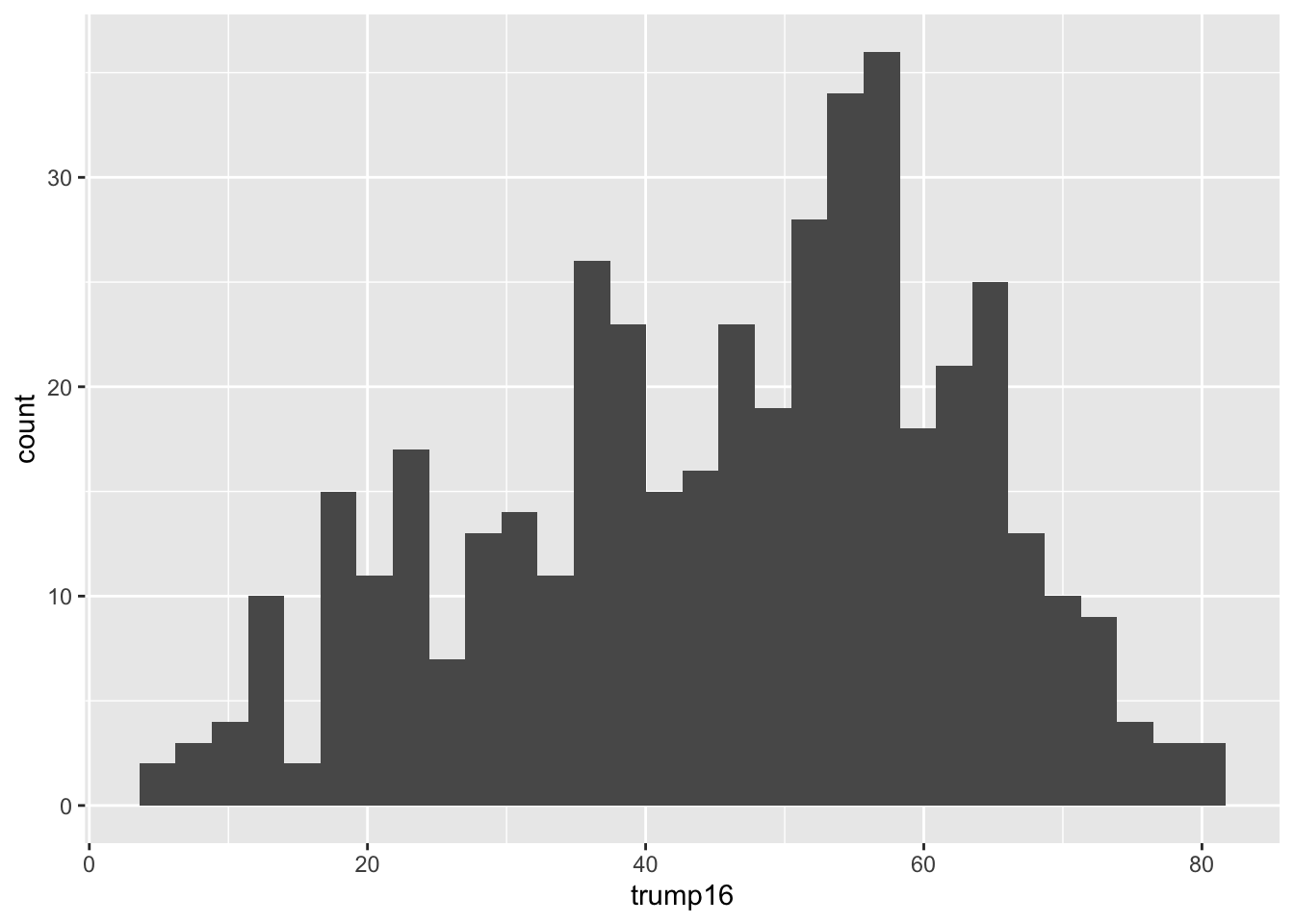
ggplot(gerrymander, aes(x = trump16)) +
  geom_histogram()

Histogram - Step 4

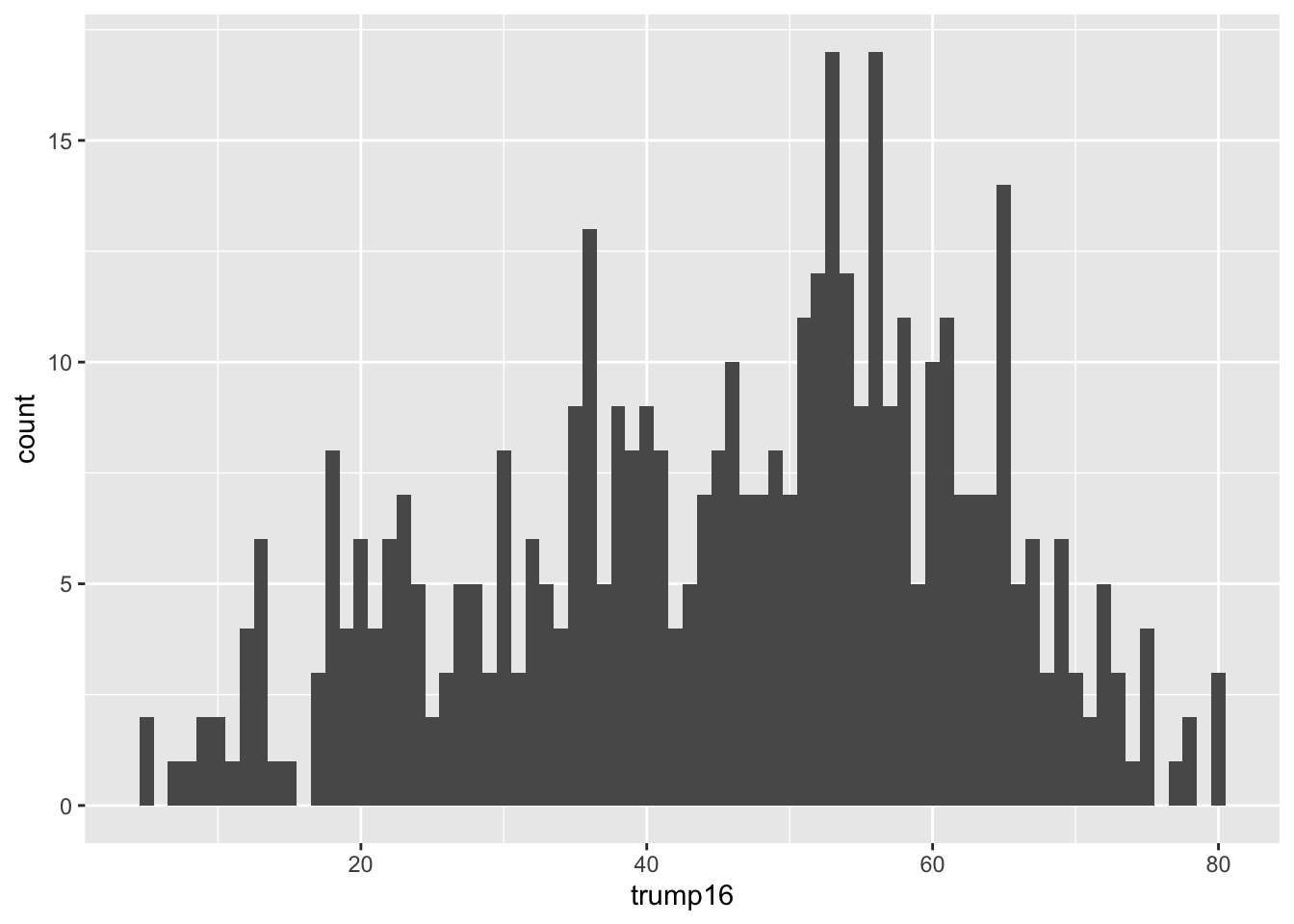
ggplot(gerrymander, aes(x = trump16)) +
  geom_histogram(binwidth = 1)

Histogram - Step 4

ggplot(gerrymander, aes(x = trump16)) +
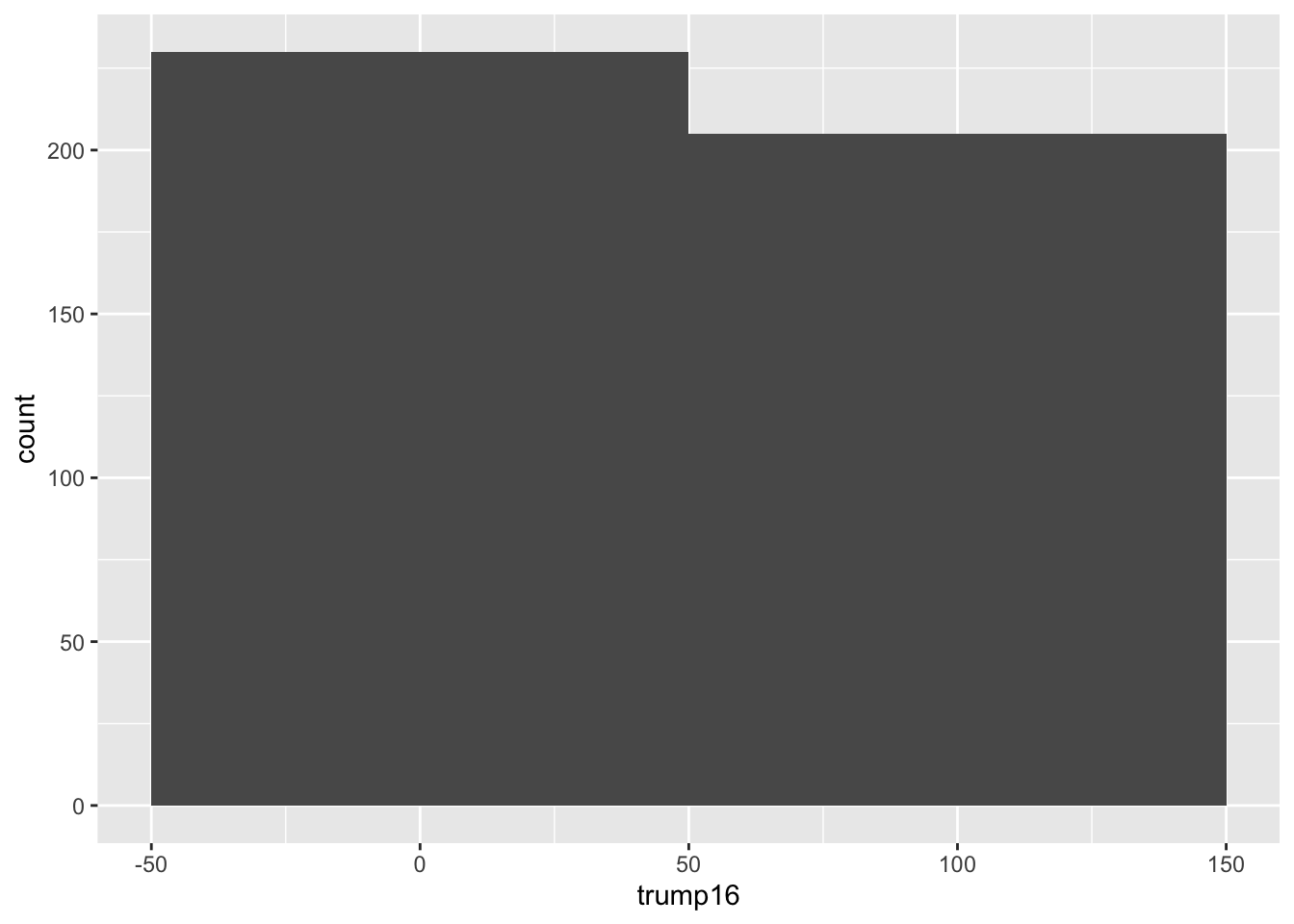
  geom_histogram(binwidth = 100)

Histogram - Step 4

ggplot(gerrymander, aes(x = trump16)) +
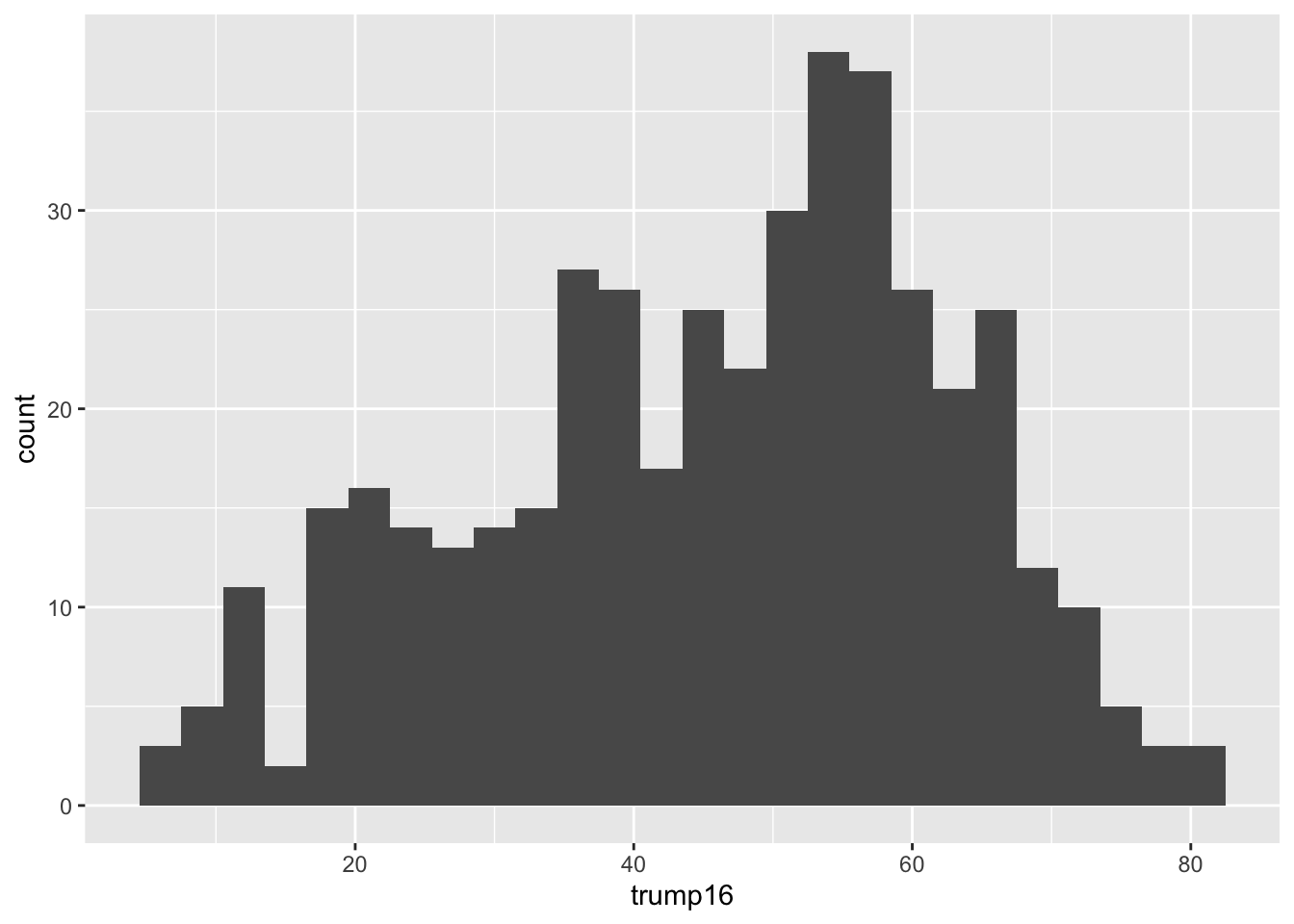
  geom_histogram(binwidth = 3)

Histogram - Step 4

ggplot(gerrymander, aes(x = trump16)) +
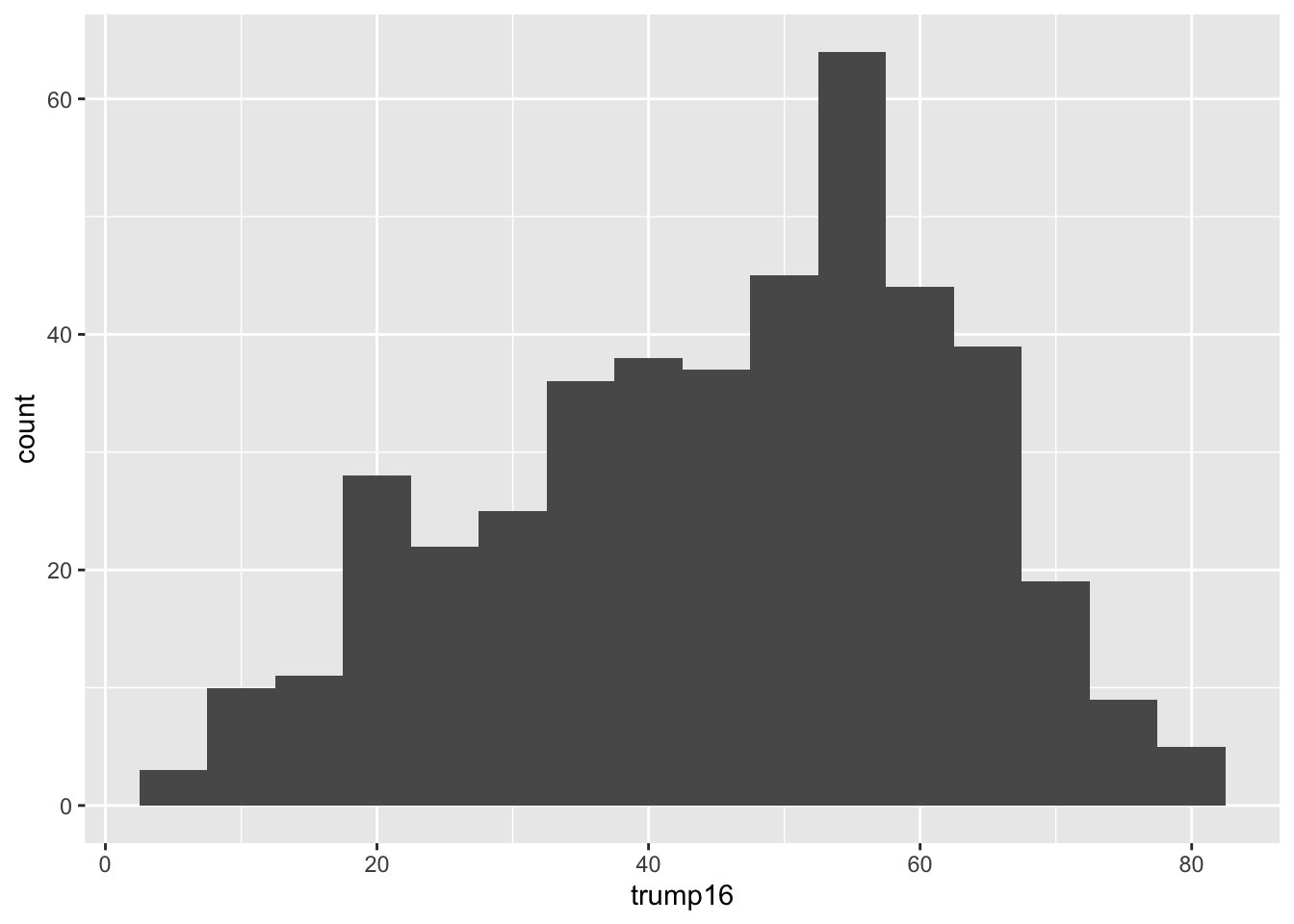
  geom_histogram(binwidth = 5)

Histogram - Step 5

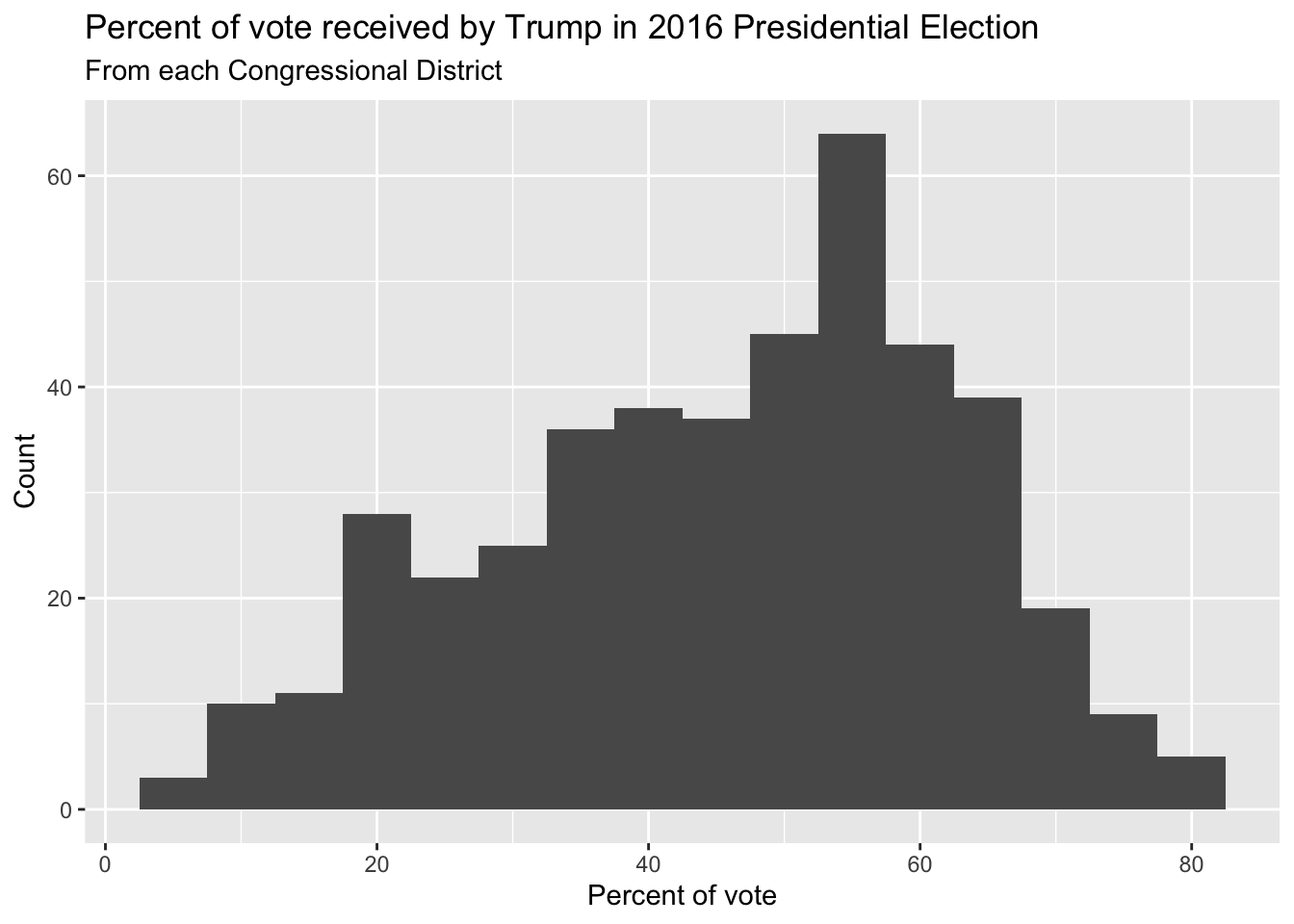
ggplot(gerrymander, aes(x = trump16)) +
  geom_histogram(binwidth = 5) +
  labs(
    title = "Percent of vote received by Trump in 2016 Presidential Election",
    subtitle = "From each Congressional District",
    x = "Percent of vote",
    y = "Count"
  )

Box plot - Step 1

ggplot(gerrymander)

Box plot - Step 2

ggplot(gerrymander, aes(x = trump16))

Box plot - Step 3

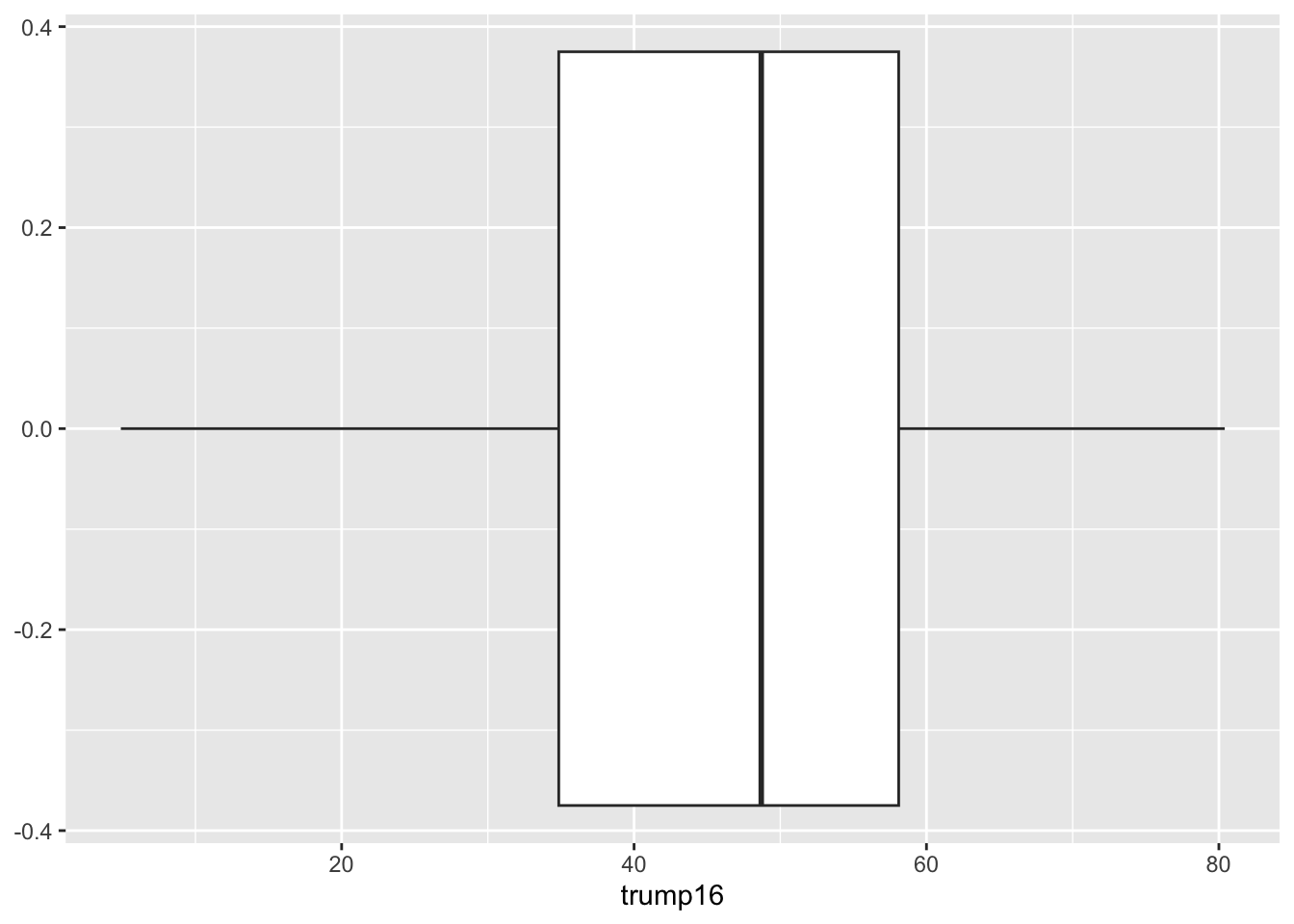
ggplot(gerrymander, aes(x = trump16)) +
  geom_boxplot()

Box plot - Alternative Step 2 + 3

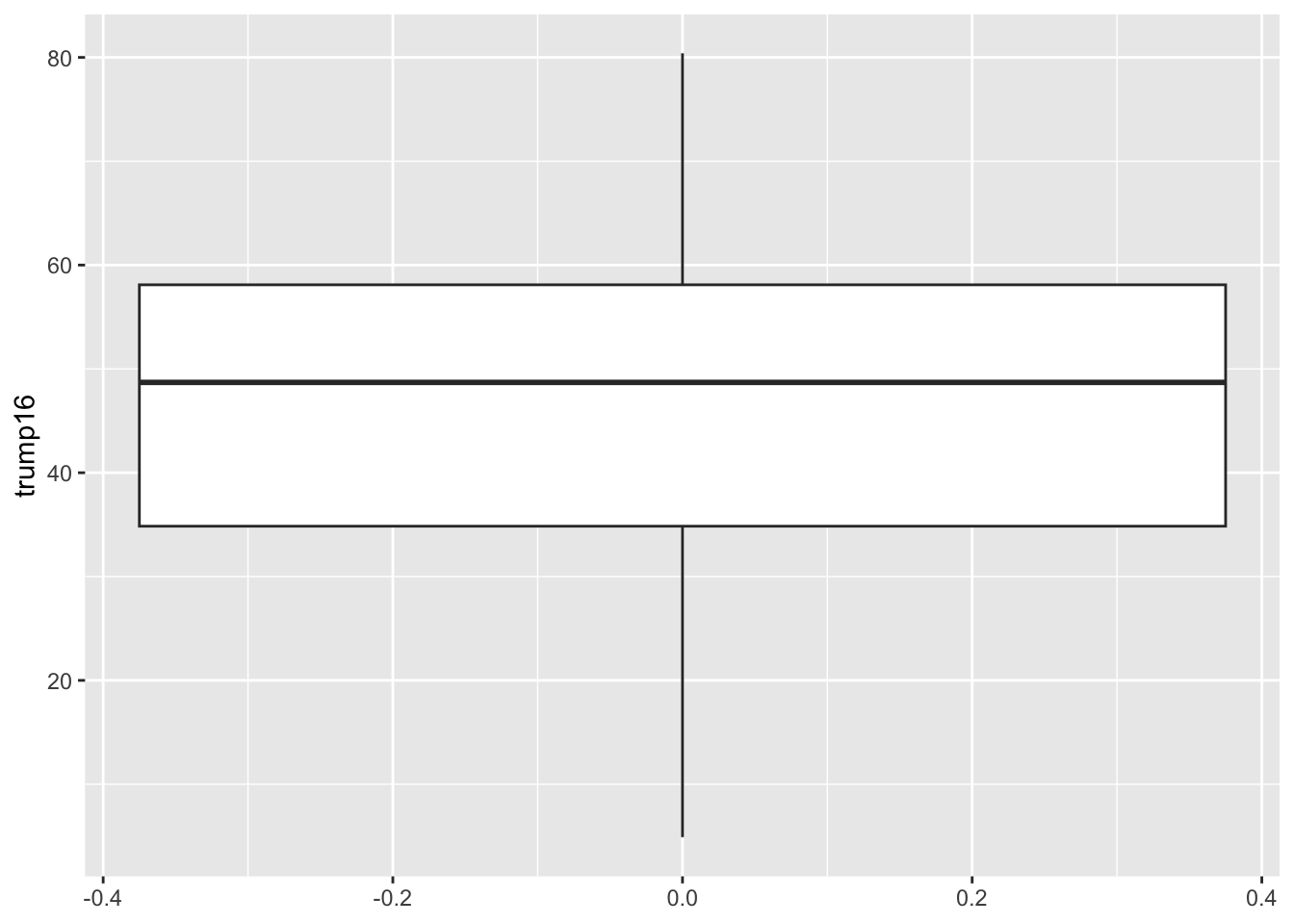
ggplot(gerrymander, aes(y = trump16)) +
  geom_boxplot()

Box plot - Step 4

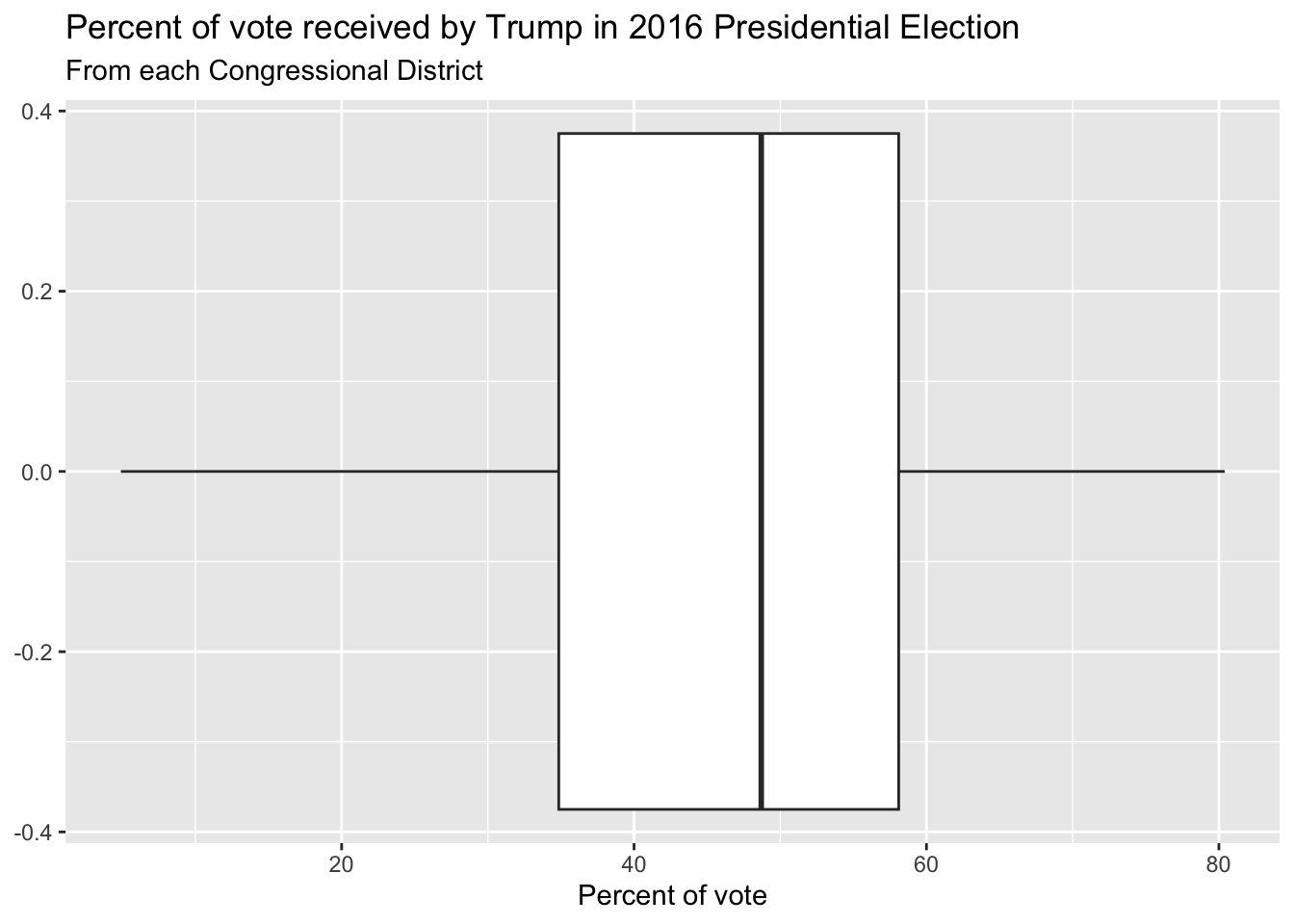
ggplot(gerrymander, aes(x = trump16)) +
  geom_boxplot() +
  labs(
    title = "Percent of vote received by Trump in 2016 Presidential Election",
    subtitle = "From each Congressional District",
    x = "Percent of vote",
    y = NULL
  )

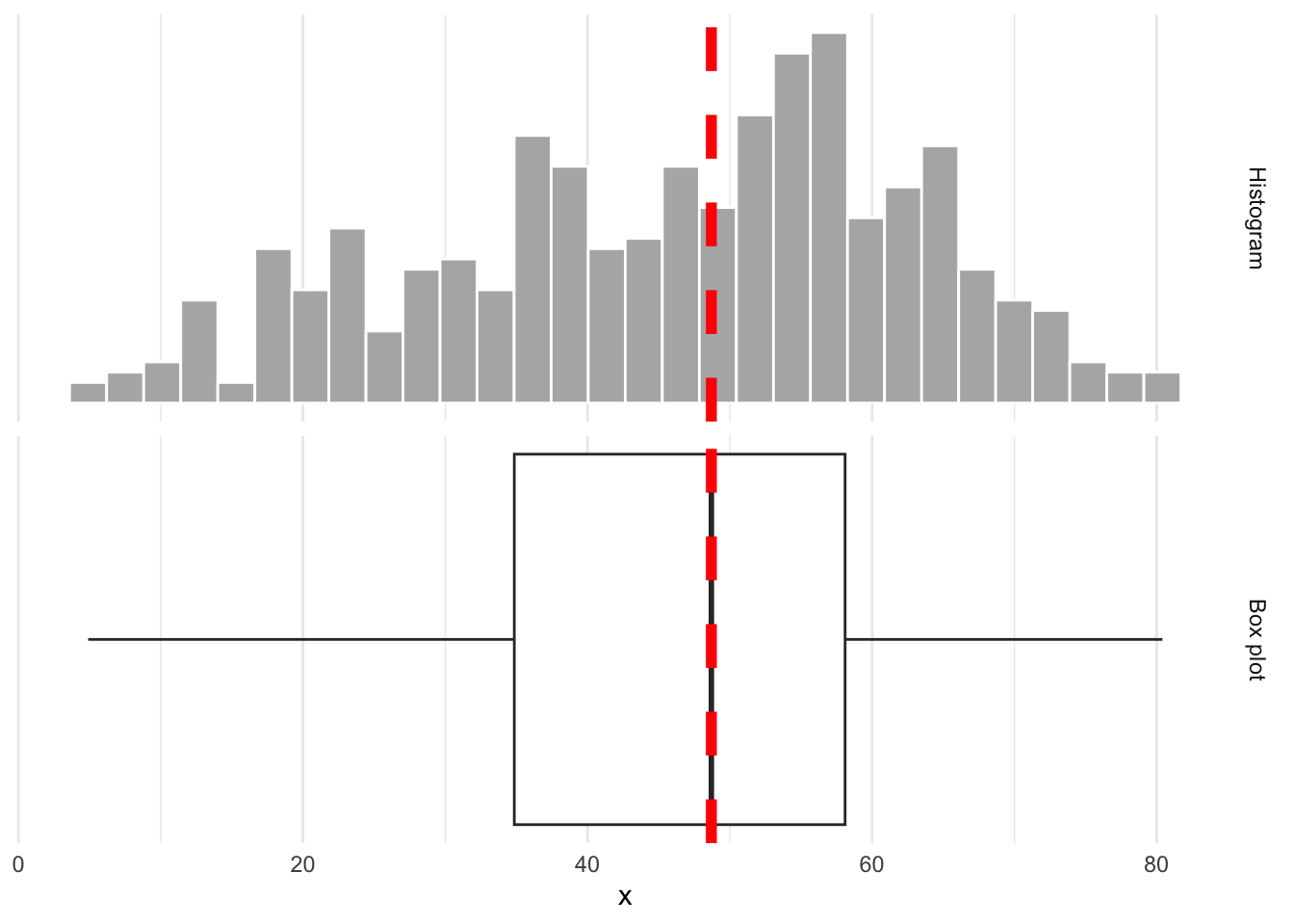
Whence the box?

The middle of the box is the median. 50% of the data are below, and 50% are above:
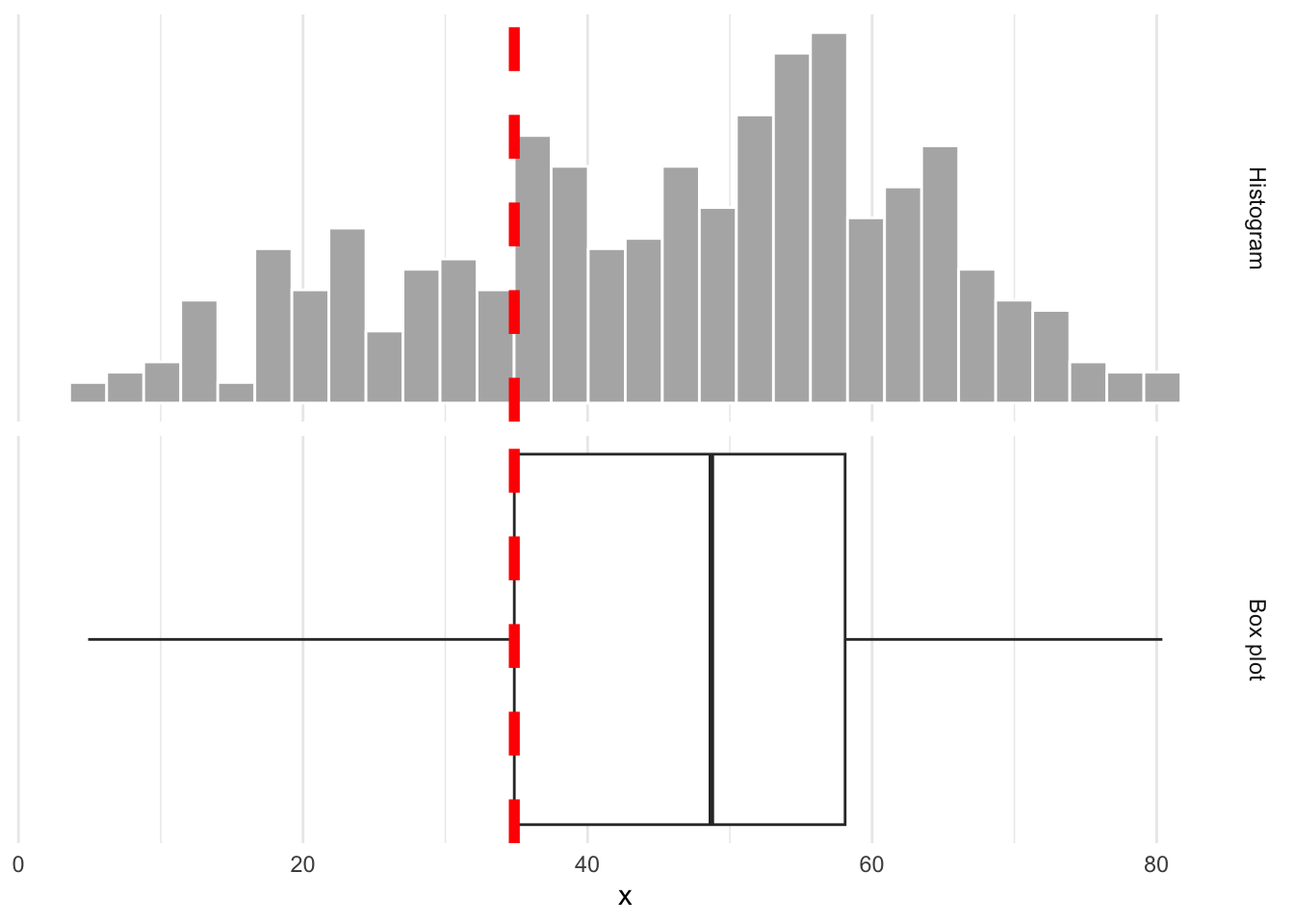
Whence the box?

The lower edge of the box is the 25% quantile. 25% of the data are below, and 75% are above:
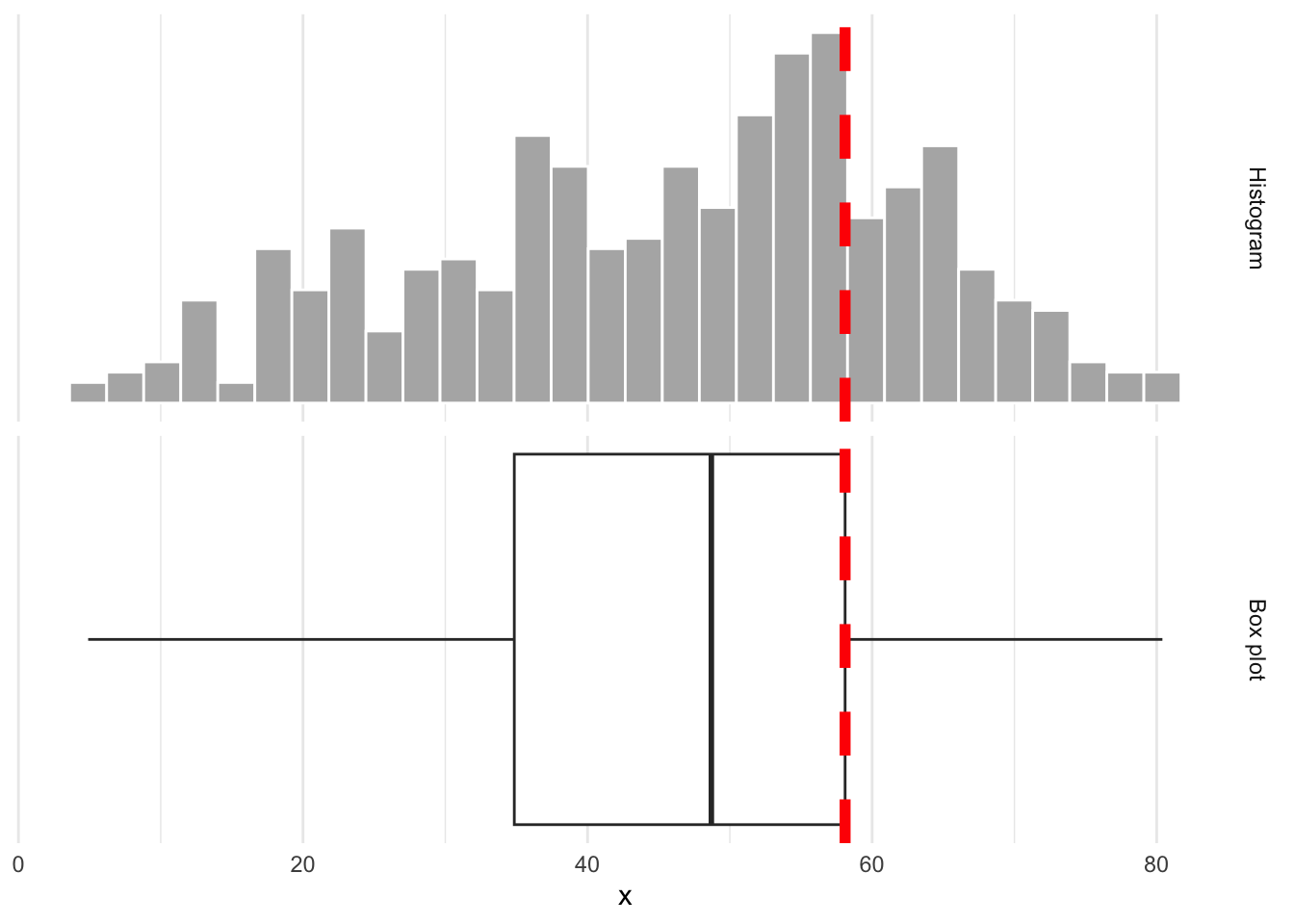
Whence the box?

The upper edge of the box is the 75% quantile. 75% of the data are below, and 25% are above:
Box plot facts

  • A box plot is easier to read quickly than a histogram because it eliminates clutter and immediately draws your eye to those main features: center, spread, and skew;
  • The box spans the middle 50% of the data;
  • The width of the box is called the inner quartile range (IQR) and it measures spread;
  • From the docs (?geom_boxplot):

The upper whisker extends from the hinge to the largest value no further than 1.5 * IQR from the hinge (where IQR is the inter-quartile range, or distance between the first and third quartiles). The lower whisker extends from the hinge to the smallest value at most 1.5 * IQR of the hinge. Data beyond the end of the whiskers are called “outlying” points and are plotted individually.

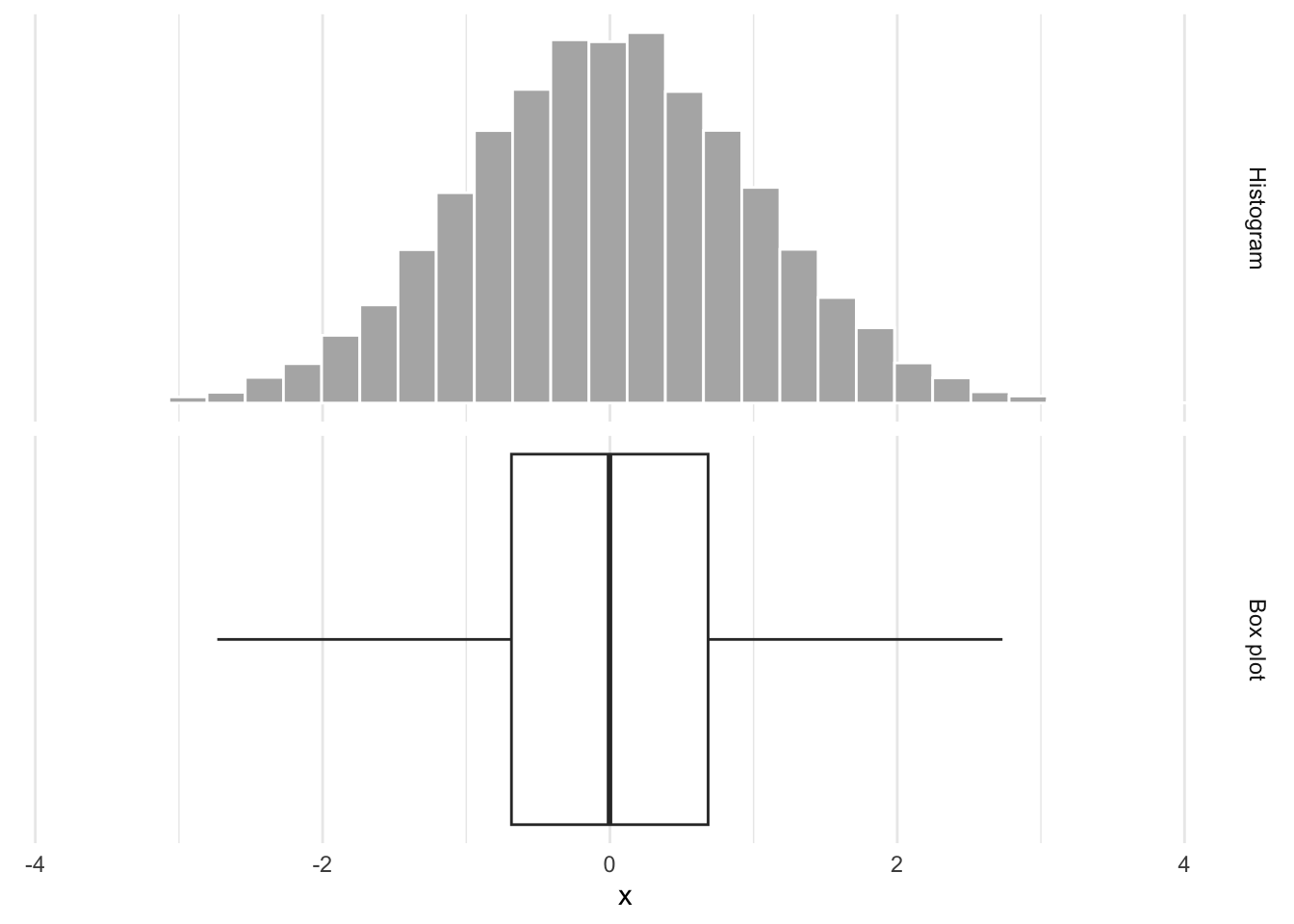
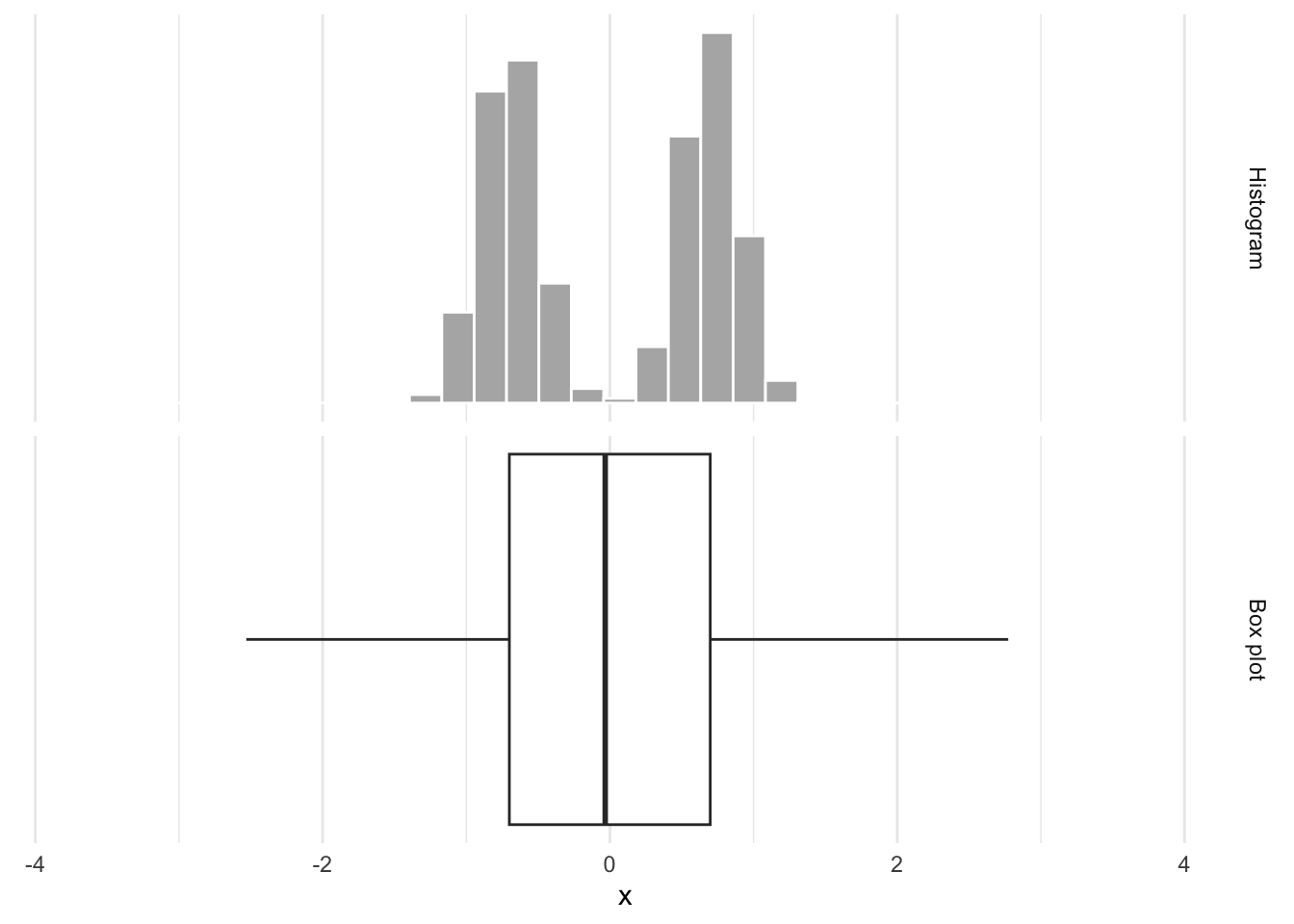
Box plots obscure modality

Same box plot:
Box plots obscure modality

Very different distributions:
Density plot - Step 1

ggplot(gerrymander)

Density plot - Step 2

ggplot(gerrymander, aes(x = trump16))

Density plot - Step 3

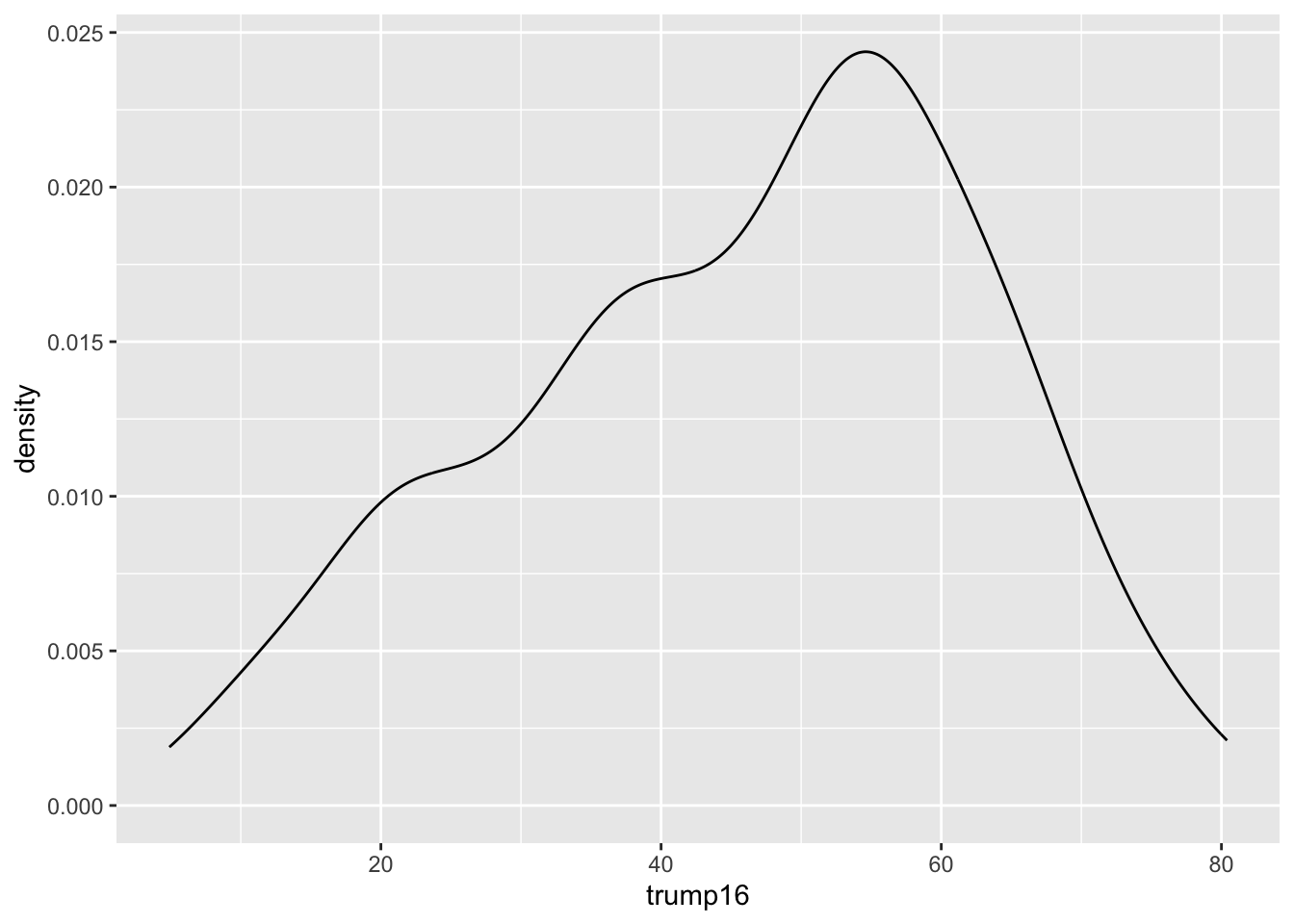
ggplot(gerrymander, aes(x = trump16)) +
  geom_density()

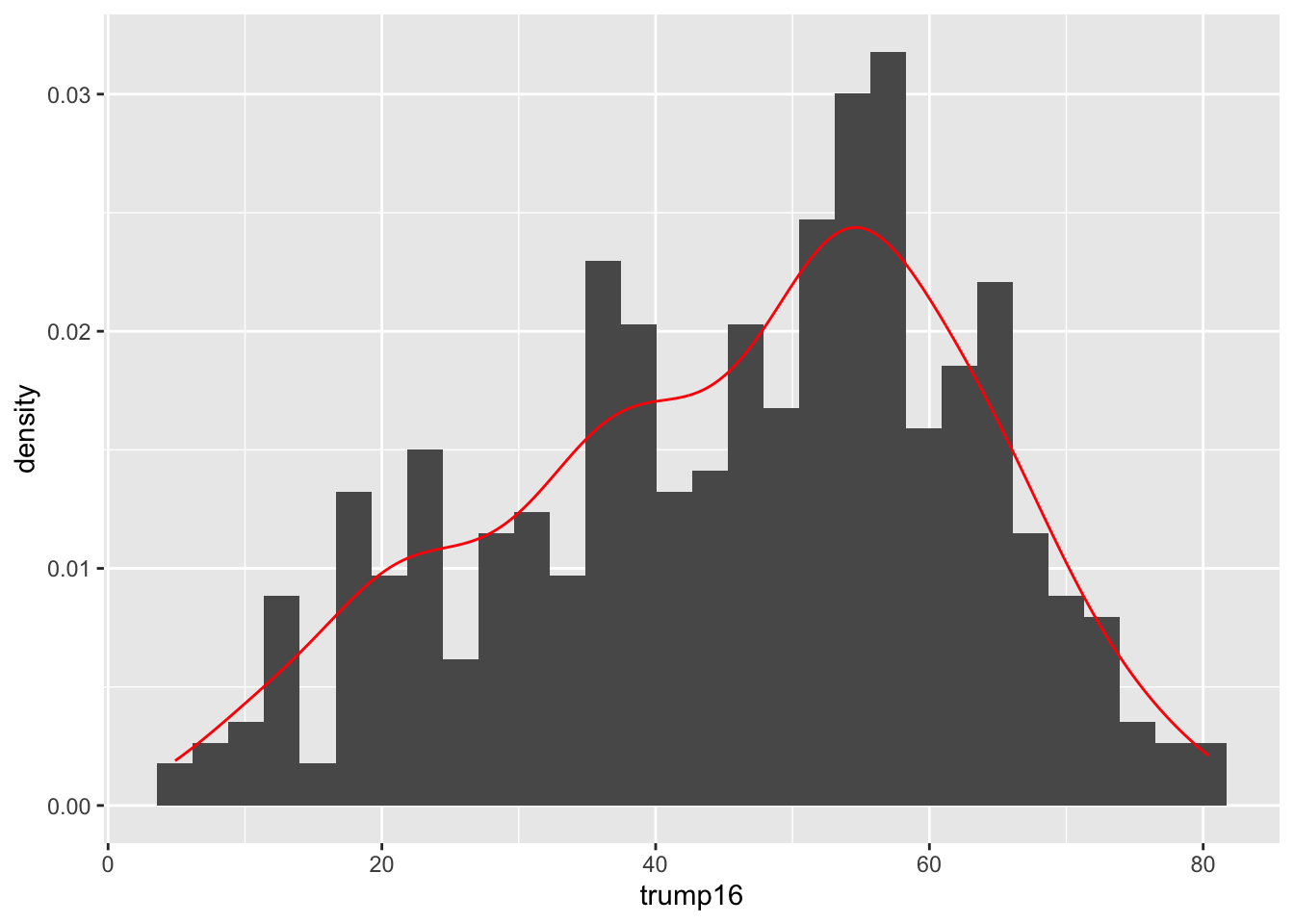
Contrast that with the histogram

ggplot(gerrymander, aes(x = trump16)) +
  geom_histogram(aes(y = after_stat(density))) + 
  geom_density(color = "red")

Prettier. Smooths out the lumps and bumps. There are still defaults you could learn to override.

Density plot - Step 4
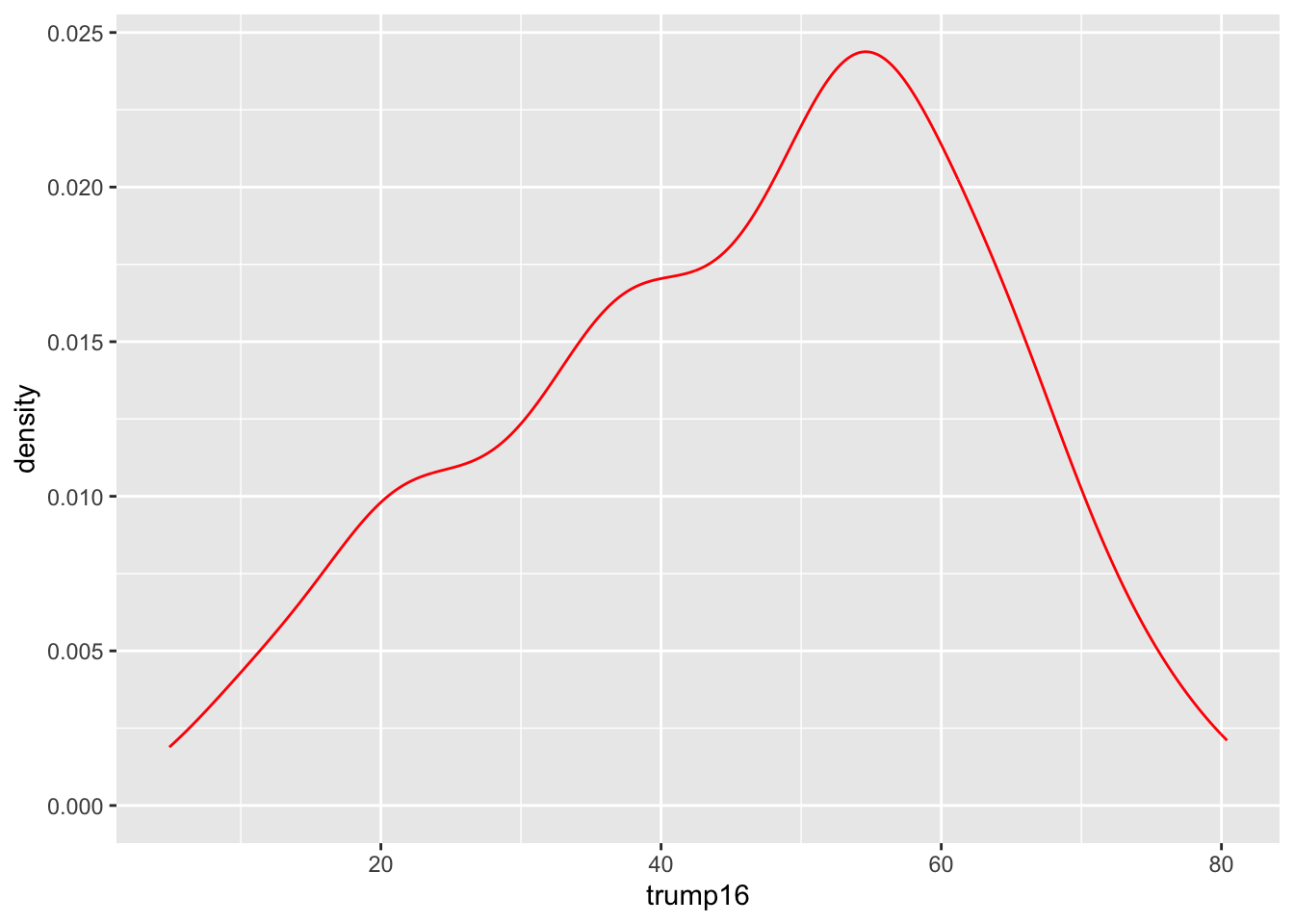
ggplot(gerrymander, aes(x = trump16)) +
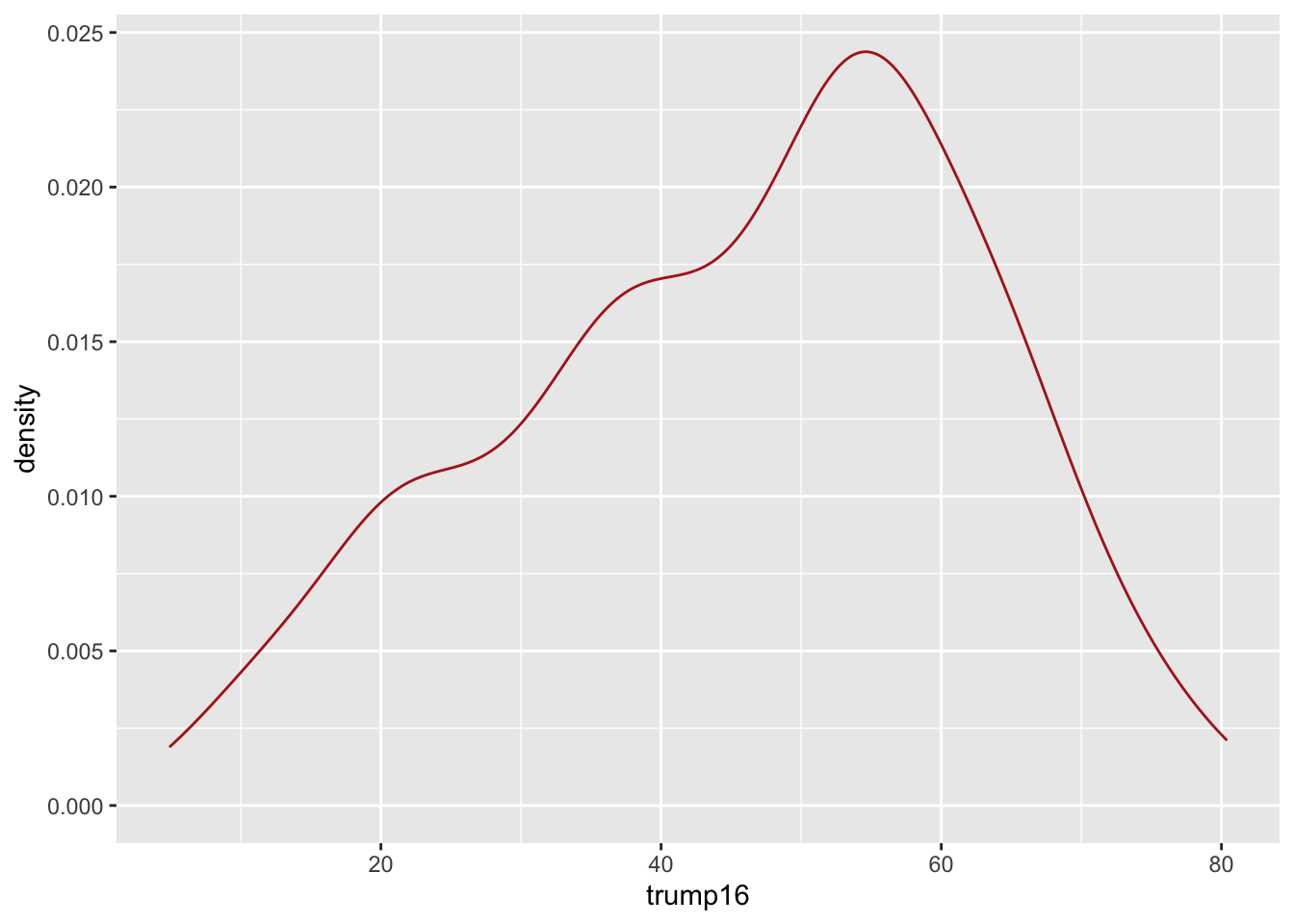
  geom_density(color = "red")

Density plot - Step 5

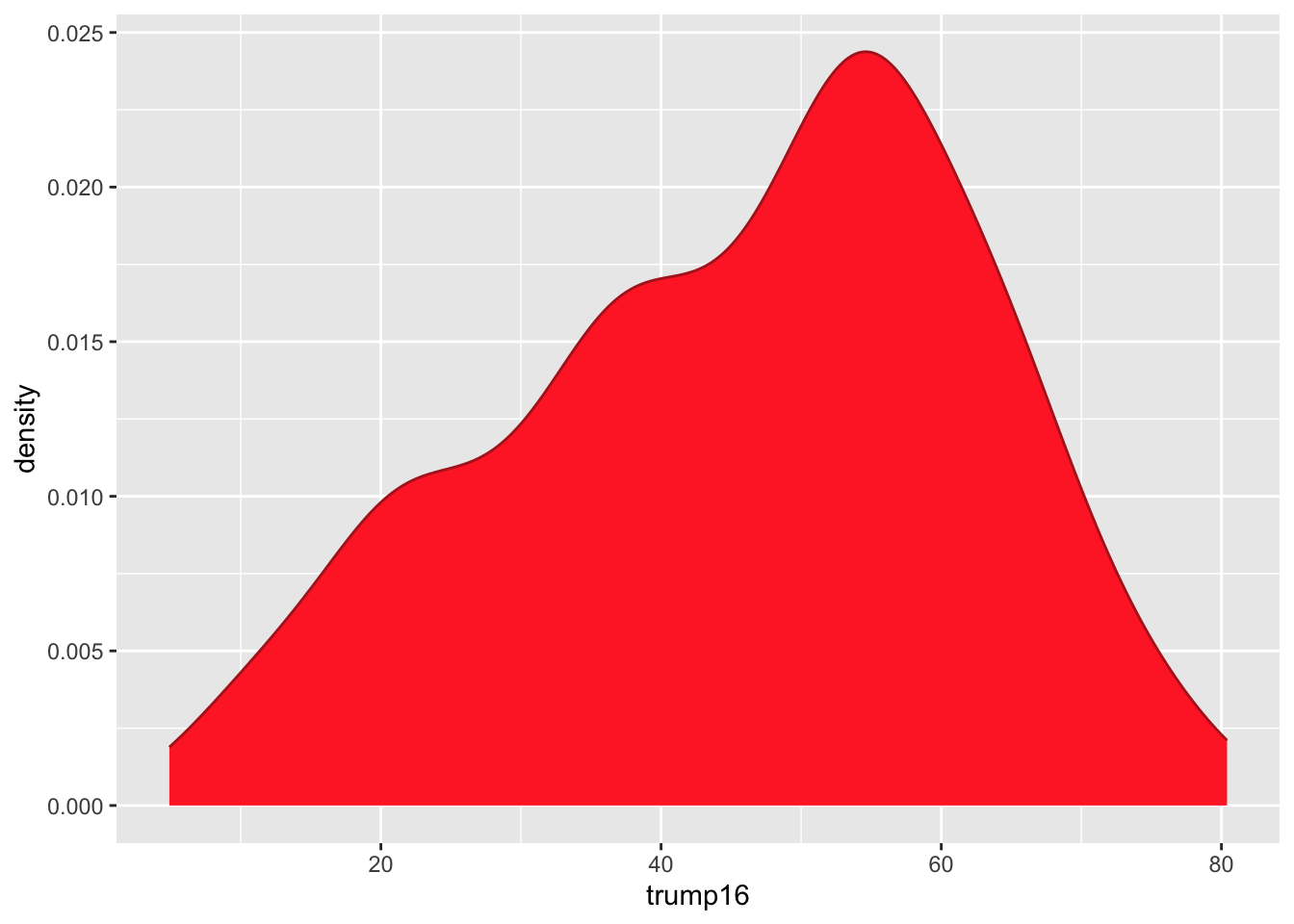
ggplot(gerrymander, aes(x = trump16)) +
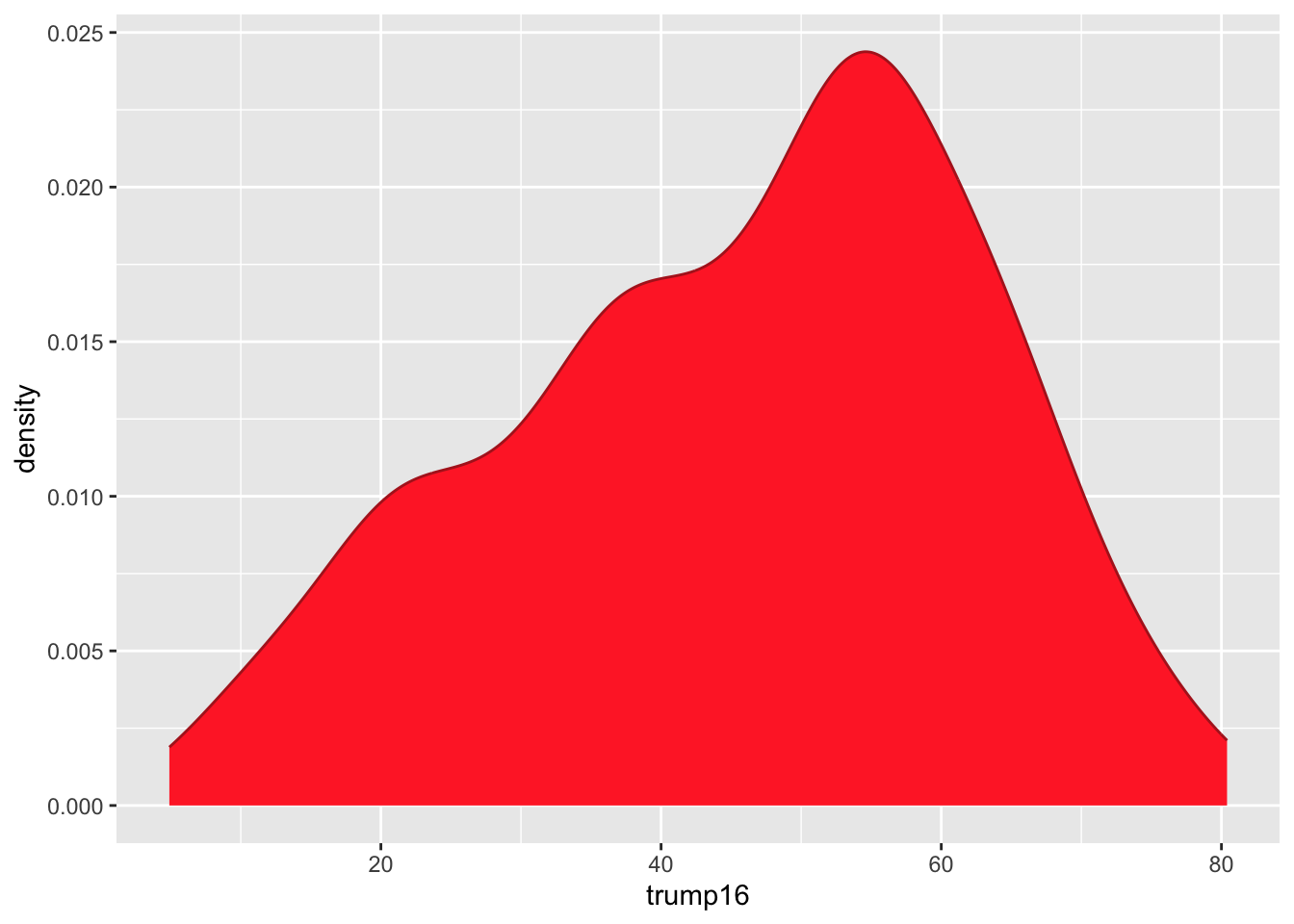
  geom_density(color = "firebrick", fill = "firebrick1")

Density plot - Step 6

ggplot(gerrymander, aes(x = trump16)) +
  geom_density(color = "firebrick", fill = "firebrick1", alpha = 1)

Density plot - Step 6

ggplot(gerrymander, aes(x = trump16)) +
  geom_density(color = "firebrick", fill = "firebrick1", alpha = 0)

Density plot - Step 6

ggplot(gerrymander, aes(x = trump16)) +
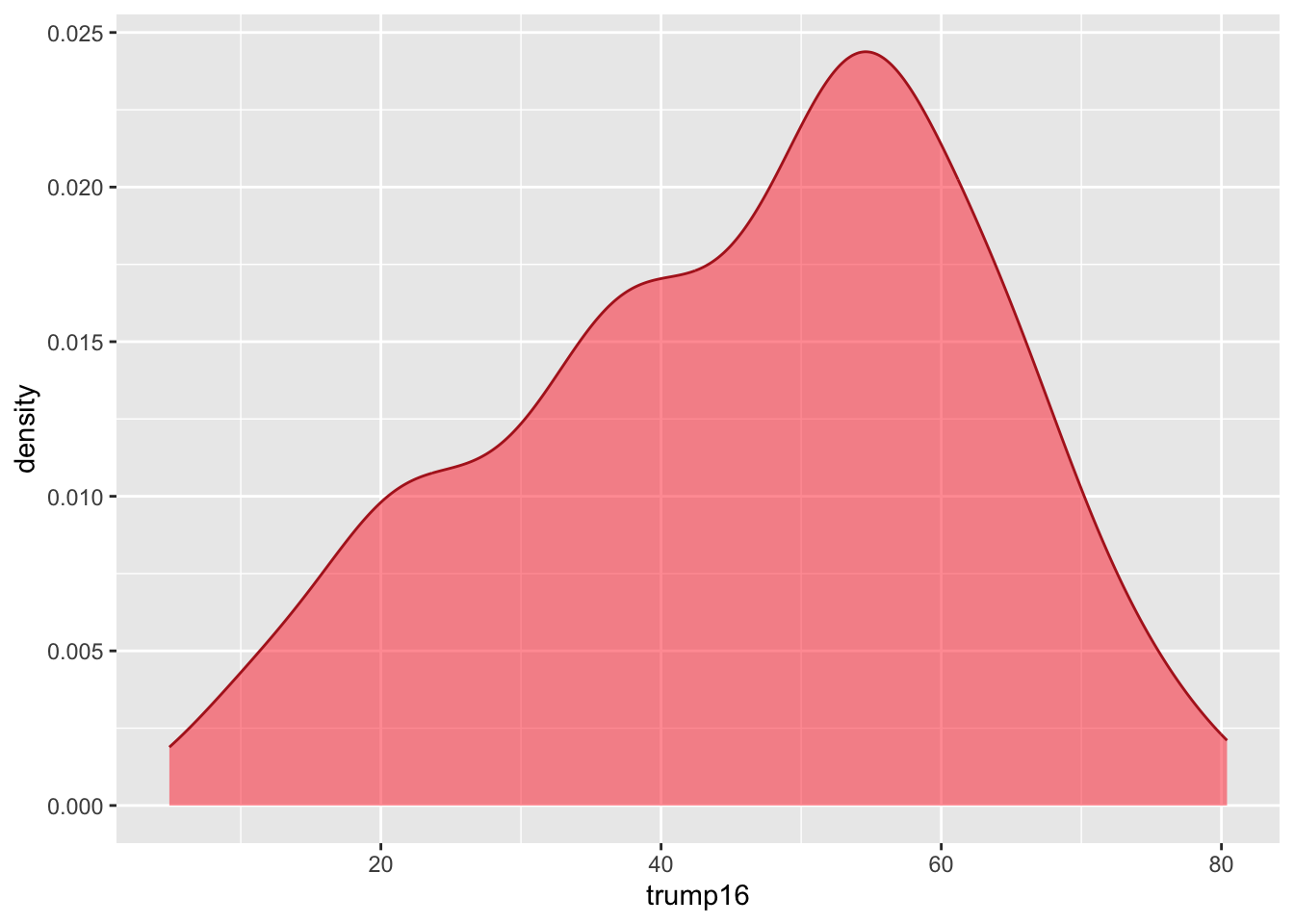
  geom_density(color = "firebrick", fill = "firebrick1", alpha = 0.5)

Density plot - Step 7

ggplot(gerrymander, aes(x = trump16)) +
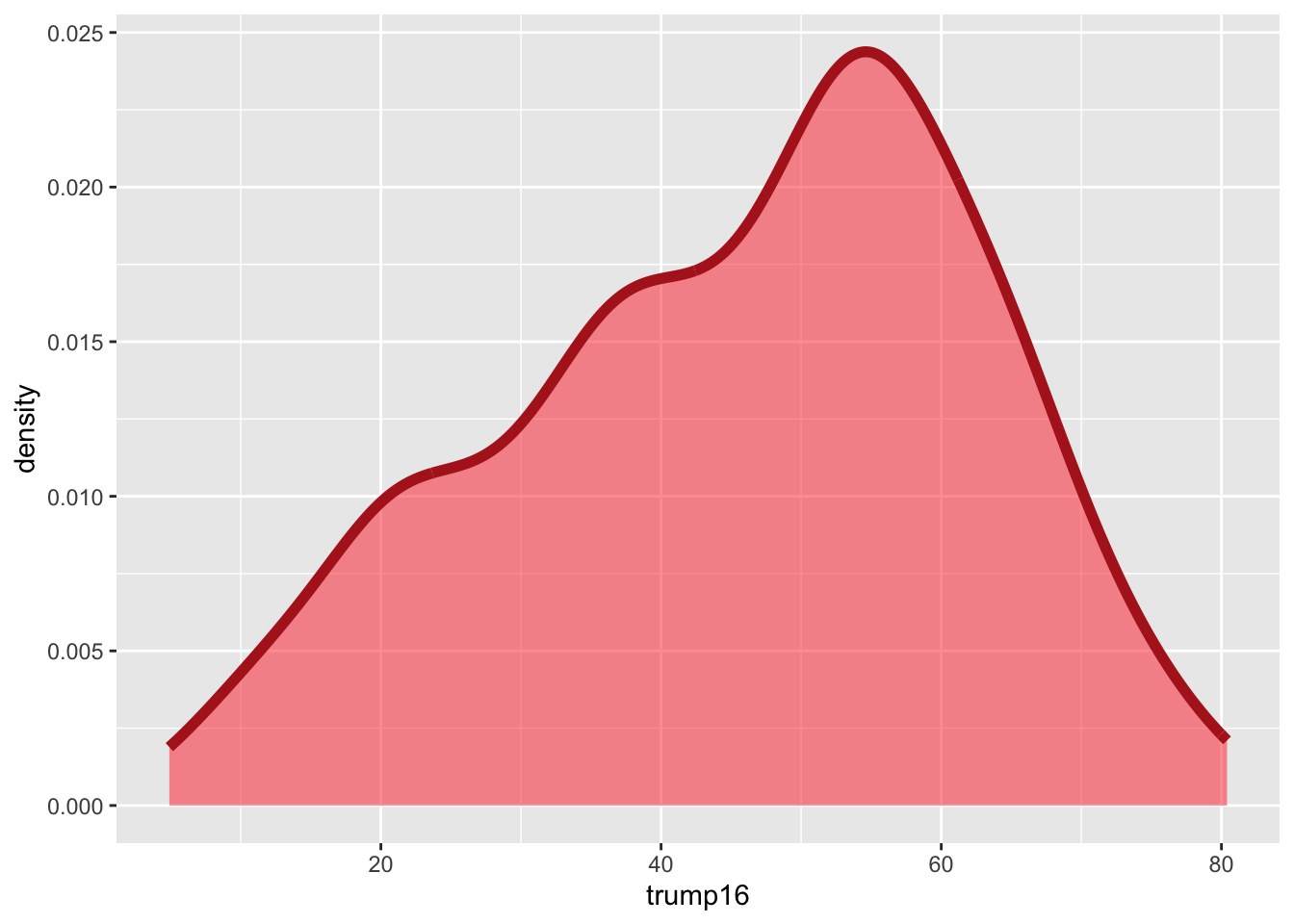
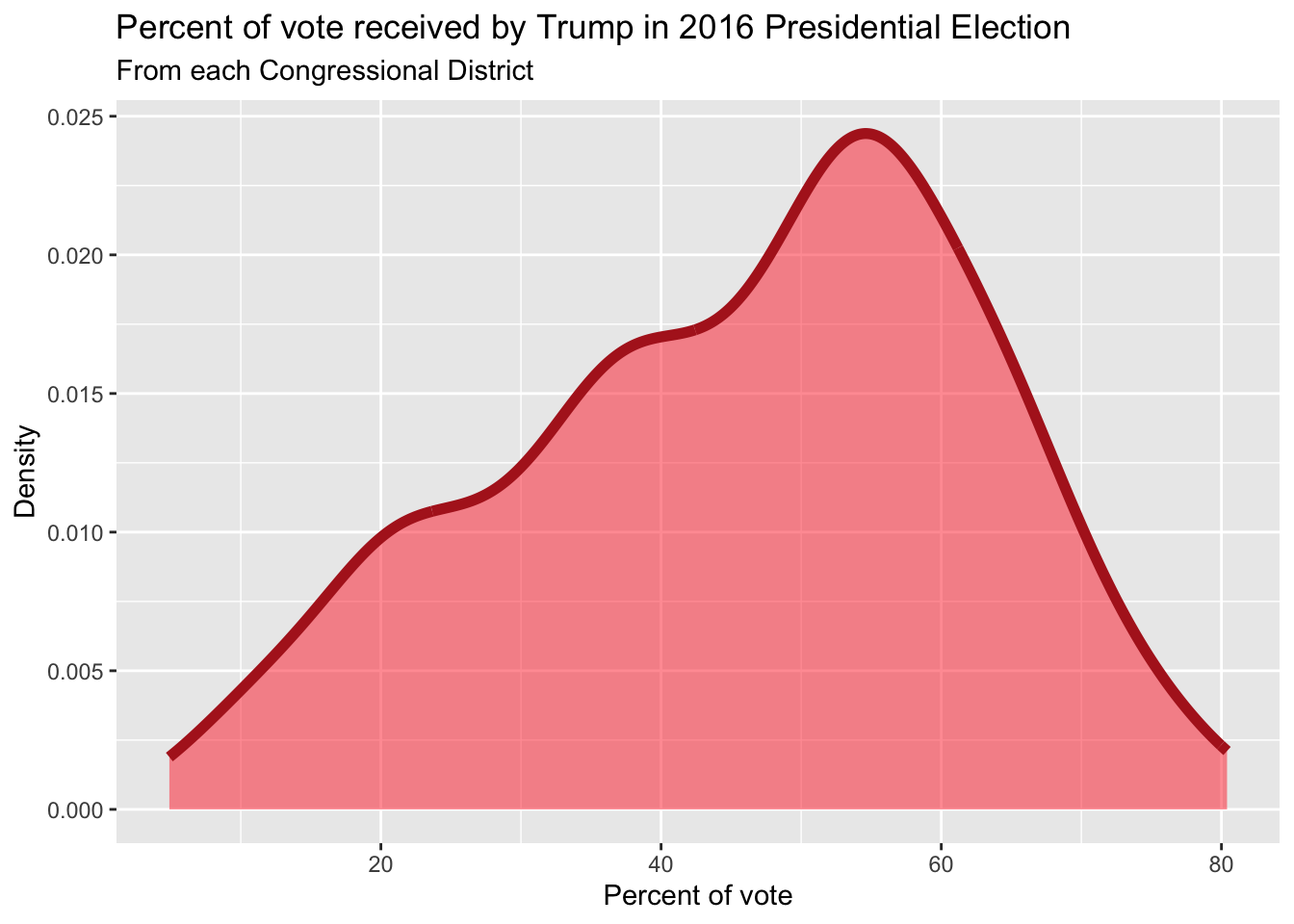
  geom_density(color = "firebrick", fill = "firebrick1", alpha = 0.5, linewidth = 2)

Density plot - Step 8

ggplot(gerrymander, aes(x = trump16)) +
  geom_density(color = "firebrick", fill = "firebrick1", alpha = 0.5, linewidth = 2) +
  labs(
    title = "Percent of vote received by Trump in 2016 Presidential Election",
    subtitle = "From each Congressional District",
    x = "Percent of vote",
    y = "Density"
  )

Summary statistics

gerrymander |>
  summarize(
    mean_trump_perc = mean(trump16),
    median_trump_perc = median(trump16),
    sd = sd(trump16),
    iqr = IQR(trump16),
    q25 = quantile(trump16, 0.25),
    q75 = quantile(trump16, 0.75)
  )
# A tibble: 1 × 6
  mean_trump_perc median_trump_perc    sd   iqr   q25   q75
            <dbl>             <dbl> <dbl> <dbl> <dbl> <dbl>
1            45.9              48.7  16.8  23.3  34.8  58.1

What does this code do?

gerrymander |>
  summarize(
    gimme_my_mean = mean(trump16),
    gimme_my_median = median(trump16)
  )
# A tibble: 1 × 2
  gimme_my_mean gimme_my_median
          <dbl>           <dbl>
1          45.9            48.7
  • summarize creates a new data frame that stores the summaries;
  • You can compute as many summaries as you want;
  • To the left of the equal signs are your choice of column names in the new data frame you are creating. You can type whatever you want here (within reason);
  • To the right of the equal signs is R code that computes the summaries. You must use the correct command names (case sensitive): mean, median, quantile, sd, var, etc;
  • If you want to learn what these do, read the documentation (eg ?quantile).

Distribution of votes for Trump in the 2016 election

Describe the distribution of percent of vote received by Trump in 2016 Presidential Election from Congressional Districts.

  • Shape: The distribution of votes for Trump in the 2016 election from Congressional Districts is unimodal and left-skewed.

  • Center: The percent of vote received by Trump in the 2016 Presidential Election from a typical Congressional Districts is 48.7%.

  • Spread: In the middle 50% of Congressional Districts, 34.8% to 58.1% of voters voted for Trump in the 2016 Presidential Election.

  • Unusual observations: -

Bivariate analysis

Bivariate analysis

Analyzing the relationship between two variables:

  • Numerical + numerical: scatterplot

  • Numerical + categorical: side-by-side box plots, violin plots, etc.

  • Categorical + categorical: stacked bar plots

  • Using an aesthetic (e.g., fill, color, shape, etc.) or facets to represent the second variable in any plot

Side-by-side box plots

ggplot(
  gerrymander, 
  aes(
    x = trump16, 
    y = gerry
    )
  ) +
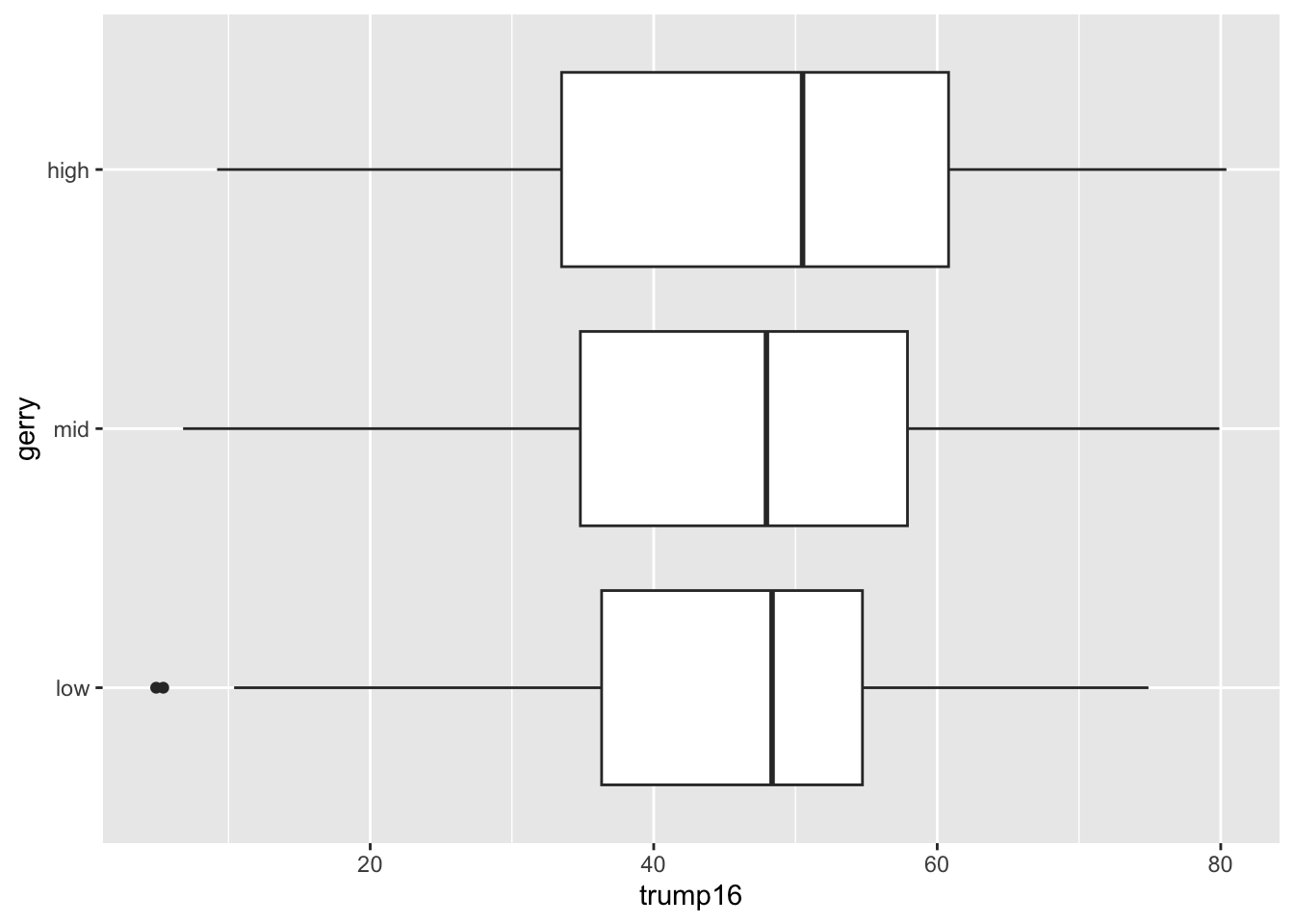
  geom_boxplot()

Summary statistics

gerrymander |>
  # do the following for each level of gerry
  summarize(
    min = min(trump16),
    q25 = quantile(trump16, 0.25),
    median = median(trump16),
    q75 = quantile(trump16, 0.75),
    max = max(trump16),
  )
# A tibble: 1 × 5
    min   q25 median   q75   max
  <dbl> <dbl>  <dbl> <dbl> <dbl>
1   4.9  34.8   48.7  58.1  80.4

Summary statistics

gerrymander |>
  filter(gerry == "low") |>
  summarize(
    min = min(trump16),
    q25 = quantile(trump16, 0.25),
    median = median(trump16),
    q75 = quantile(trump16, 0.75),
    max = max(trump16),
  )
# A tibble: 1 × 5
    min   q25 median   q75   max
  <dbl> <dbl>  <dbl> <dbl> <dbl>
1   4.9  36.3   48.4  54.7  74.9

Summary statistics

gerrymander |>
  filter(gerry == "mid") |>
  summarize(
    min = min(trump16),
    q25 = quantile(trump16, 0.25),
    median = median(trump16),
    q75 = quantile(trump16, 0.75),
    max = max(trump16),
  )
# A tibble: 1 × 5
    min   q25 median   q75   max
  <dbl> <dbl>  <dbl> <dbl> <dbl>
1   6.8  34.8   48.0  57.9  79.9

Summary statistics

gerrymander |>
  filter(gerry == "high") |>
  summarize(
    min = min(trump16),
    q25 = quantile(trump16, 0.25),
    median = median(trump16),
    q75 = quantile(trump16, 0.75),
    max = max(trump16),
  )
# A tibble: 1 × 5
    min   q25 median   q75   max
  <dbl> <dbl>  <dbl> <dbl> <dbl>
1   9.2  33.5   50.5  60.8  80.4

Summary statistics

gerrymander |>
  group_by(gerry) |>
  summarize(
    min = min(trump16),
    q25 = quantile(trump16, 0.25),
    median = median(trump16),
    q75 = quantile(trump16, 0.75),
    max = max(trump16),
  )
# A tibble: 3 × 6
  gerry   min   q25 median   q75   max
  <fct> <dbl> <dbl>  <dbl> <dbl> <dbl>
1 low     4.9  36.3   48.4  54.7  74.9
2 mid     6.8  34.8   48.0  57.9  79.9
3 high    9.2  33.5   50.5  60.8  80.4

Density plots

ggplot(
  gerrymander, 
  aes(
    x = trump16, 
    color = gerry
    )
  ) +
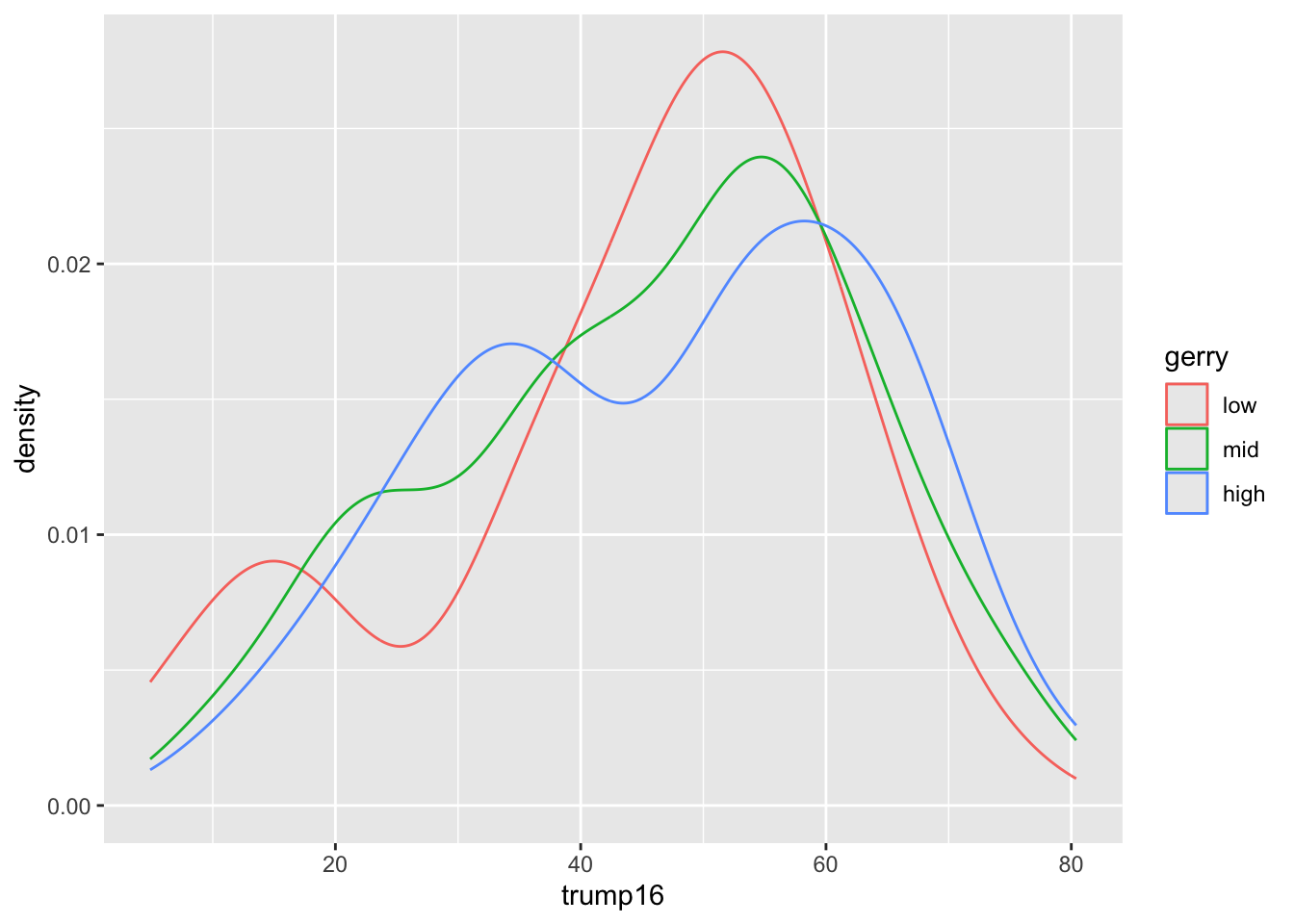
  geom_density()

Filled density plots

ggplot(
  gerrymander, 
  aes(
    x = trump16, 
    color = gerry,
    fill = gerry
    )
  ) +
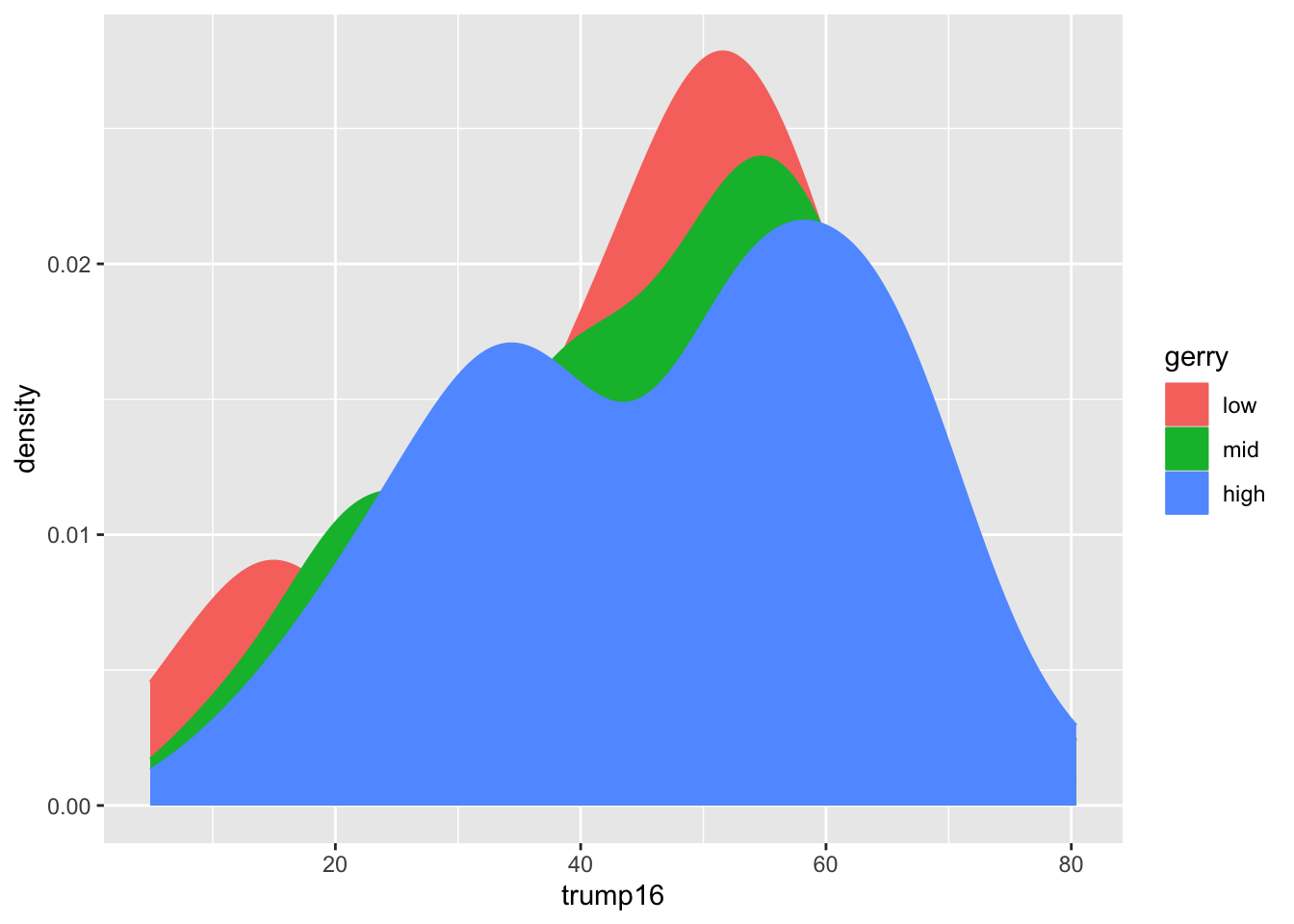
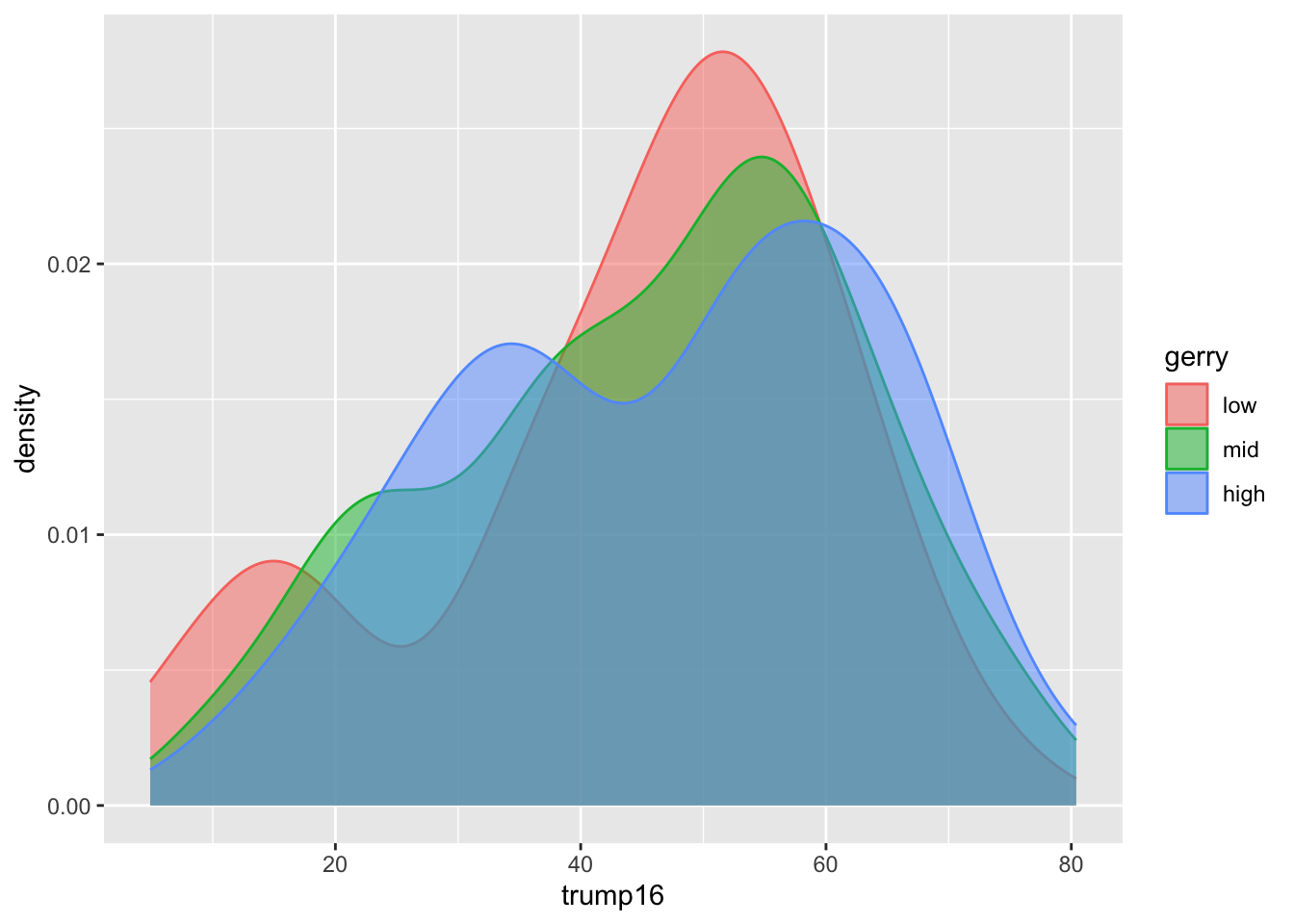
  geom_density()

Better filled density plots

ggplot(
  gerrymander, 
  aes(x = trump16, color = gerry, fill = gerry)
  ) +
  geom_density(alpha = 0.5)

Better colors

ggplot(
  gerrymander, 
  aes(x = trump16, color = gerry, fill = gerry)
  ) +
  geom_density(alpha = 0.5) +
  scale_color_colorblind() +
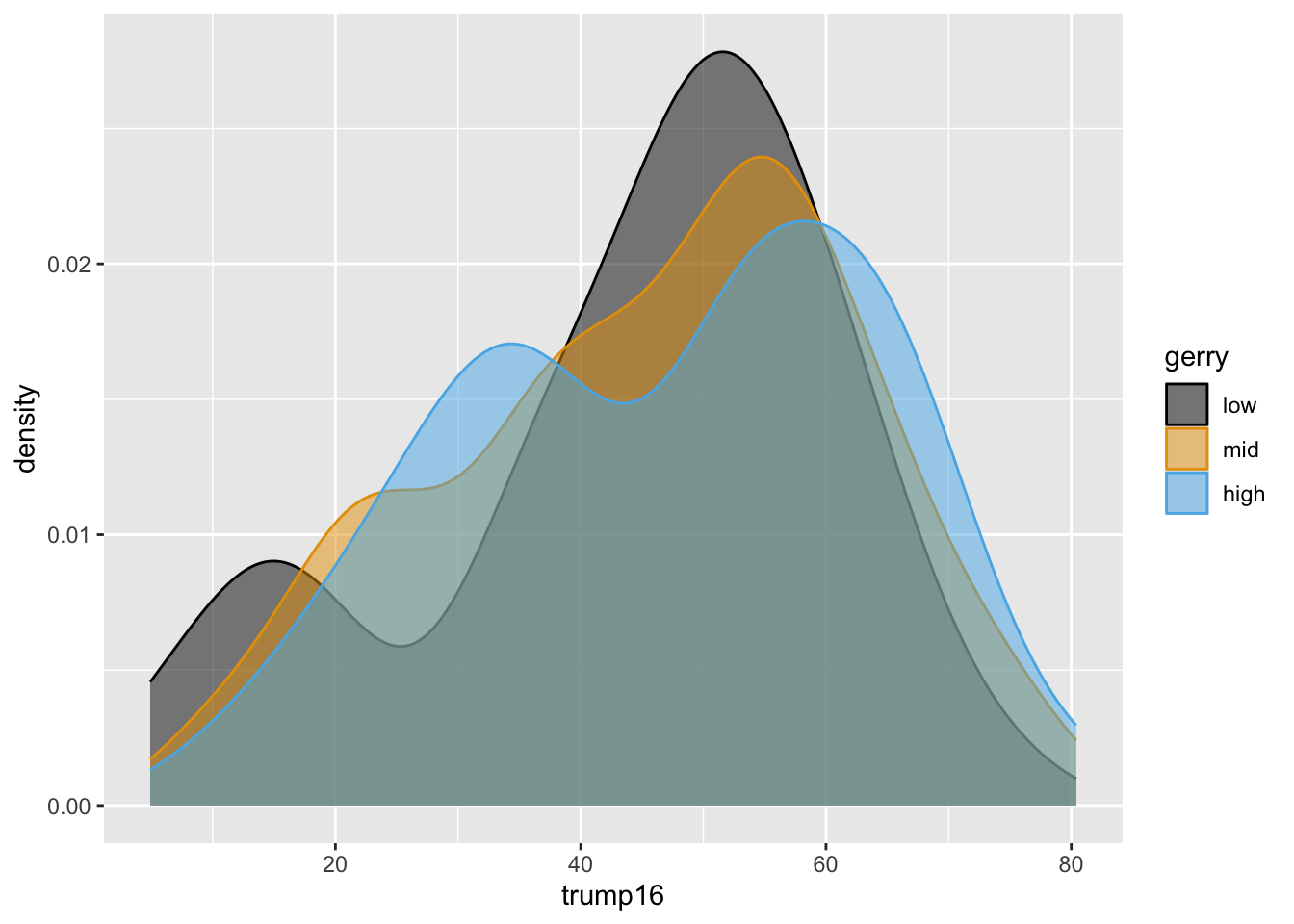
  scale_fill_colorblind()

Violin plots

ggplot(
  gerrymander, 
  aes(x = trump16, y = gerry, color = gerry)
  ) +
  geom_violin() +
  scale_color_colorblind() +
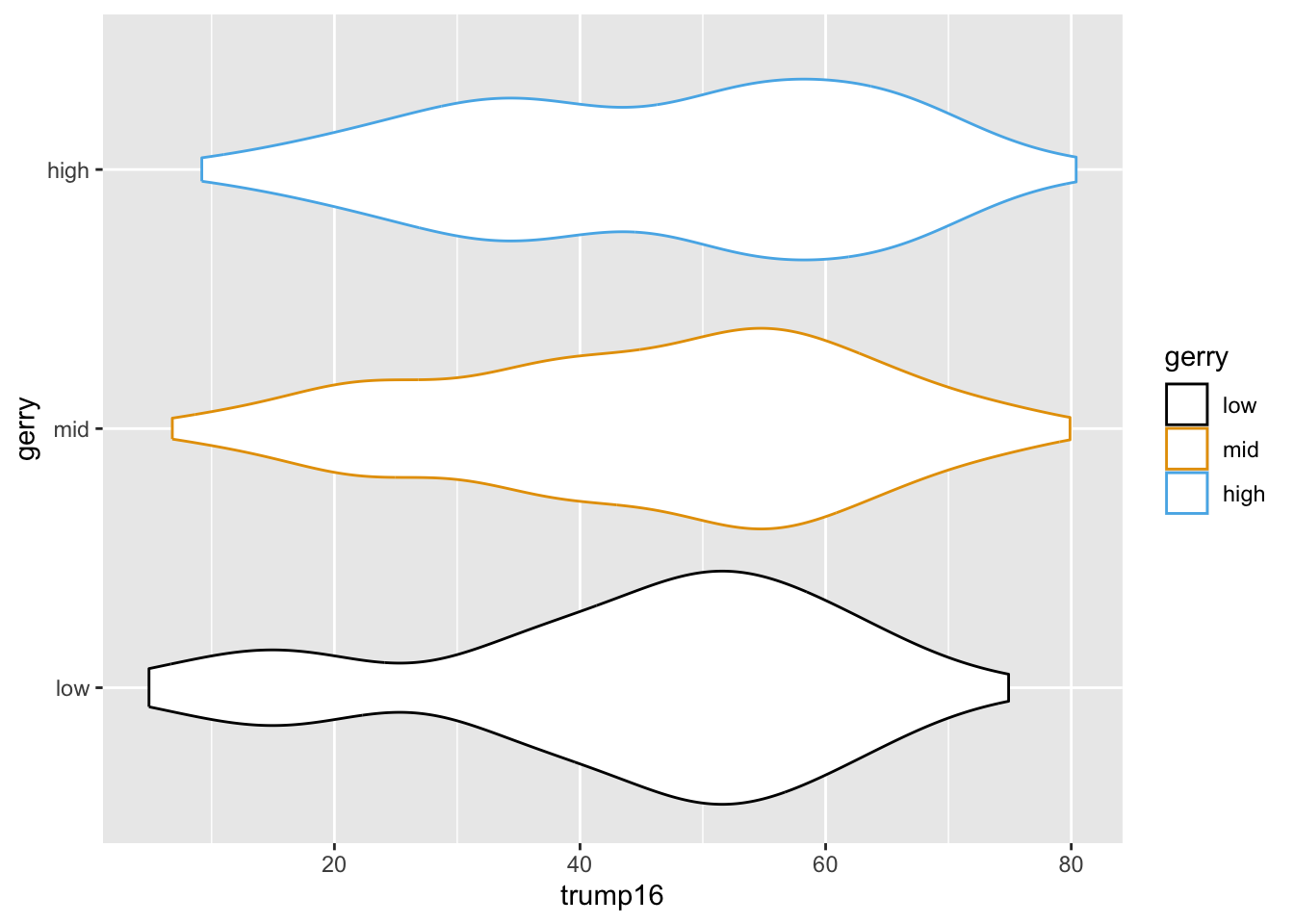
  scale_fill_colorblind()

Multiple geoms

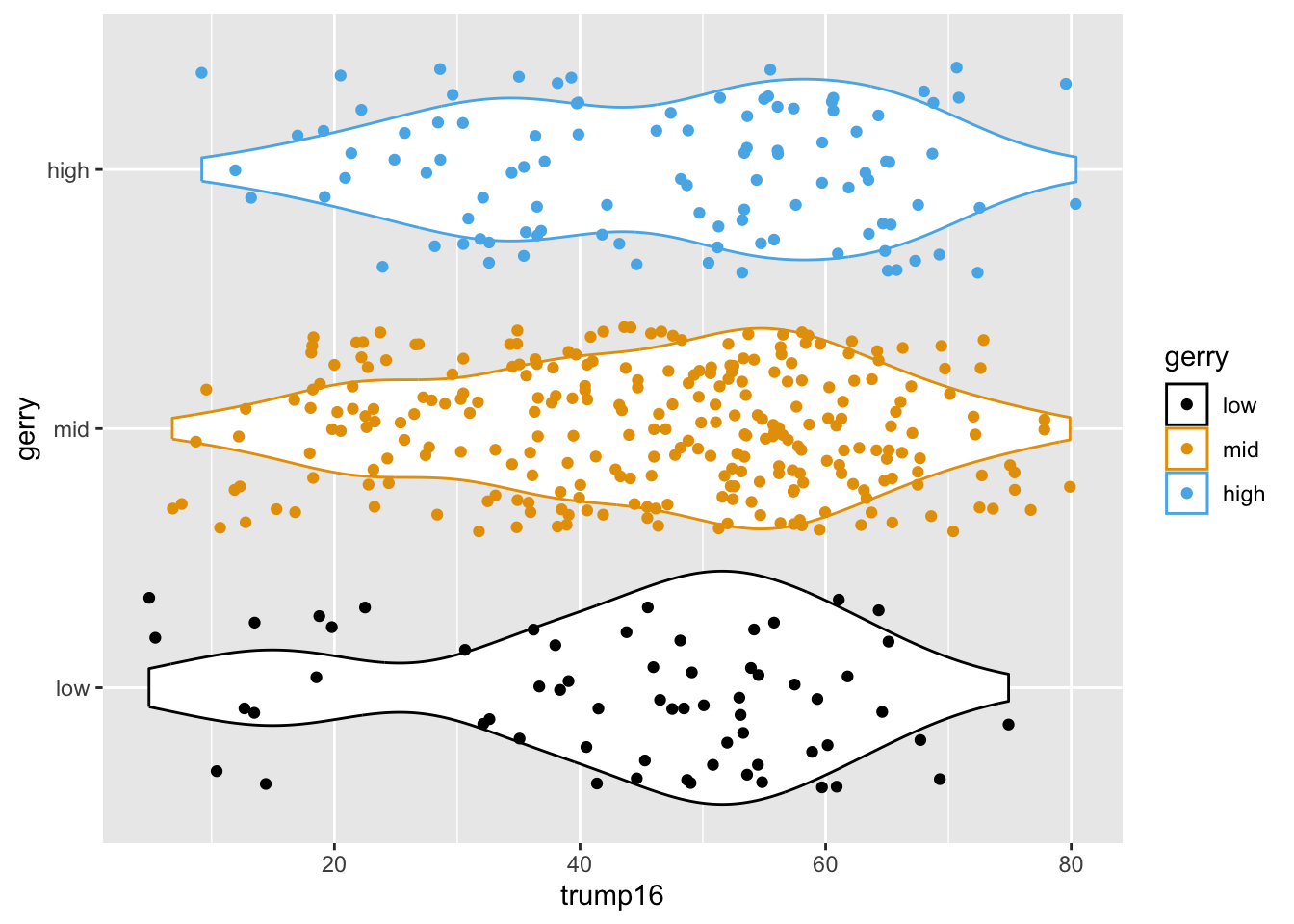
ggplot(
  gerrymander, 
  aes(x = trump16, y = gerry, color = gerry)
  ) +
  geom_violin() +
  geom_point() +
  scale_color_colorblind() +
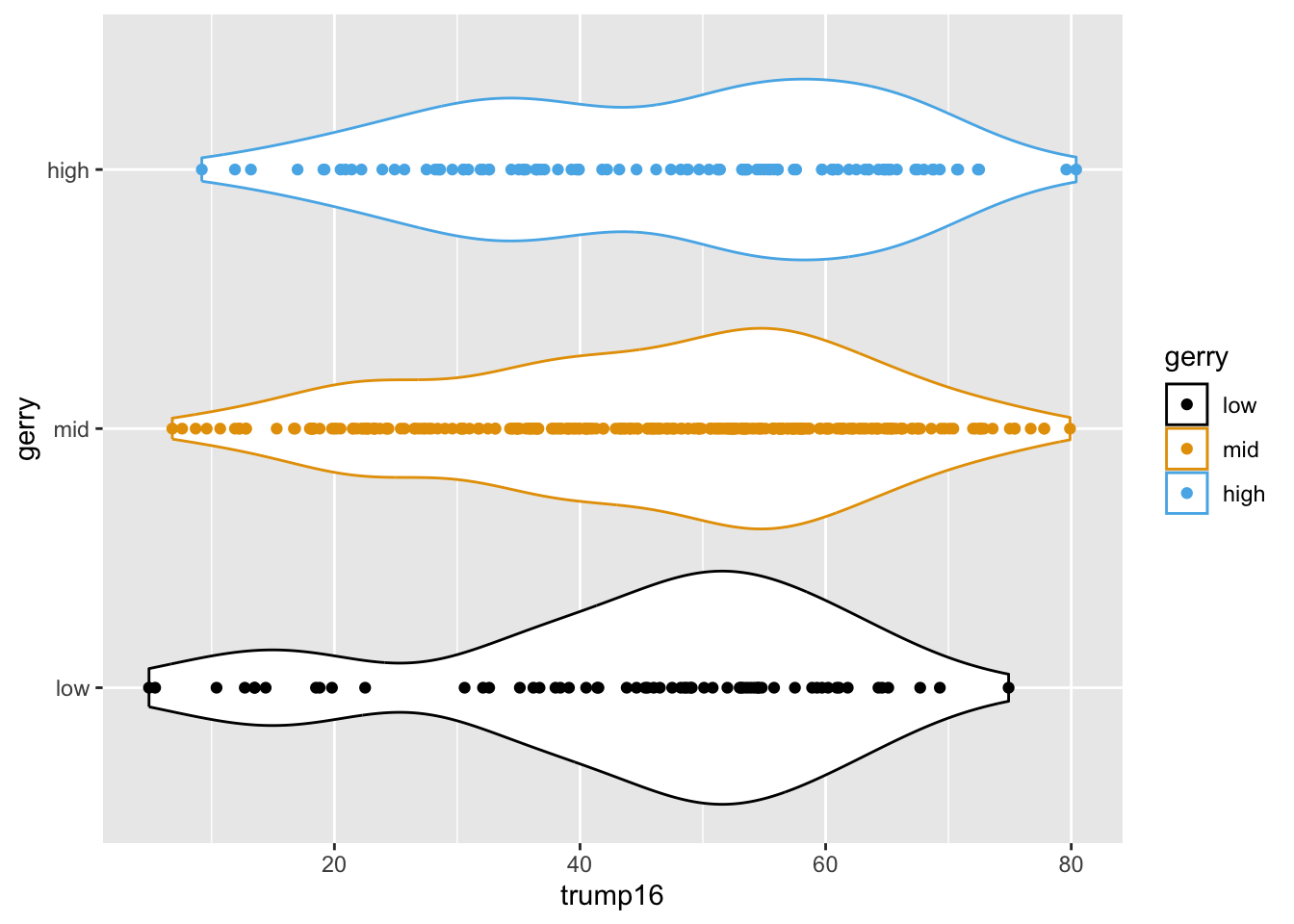
  scale_fill_colorblind()

Multiple geoms

ggplot(
  gerrymander, 
  aes(x = trump16, y = gerry, color = gerry)
  ) +
  geom_violin() +
  geom_jitter() +
  scale_color_colorblind() +
  scale_fill_colorblind()

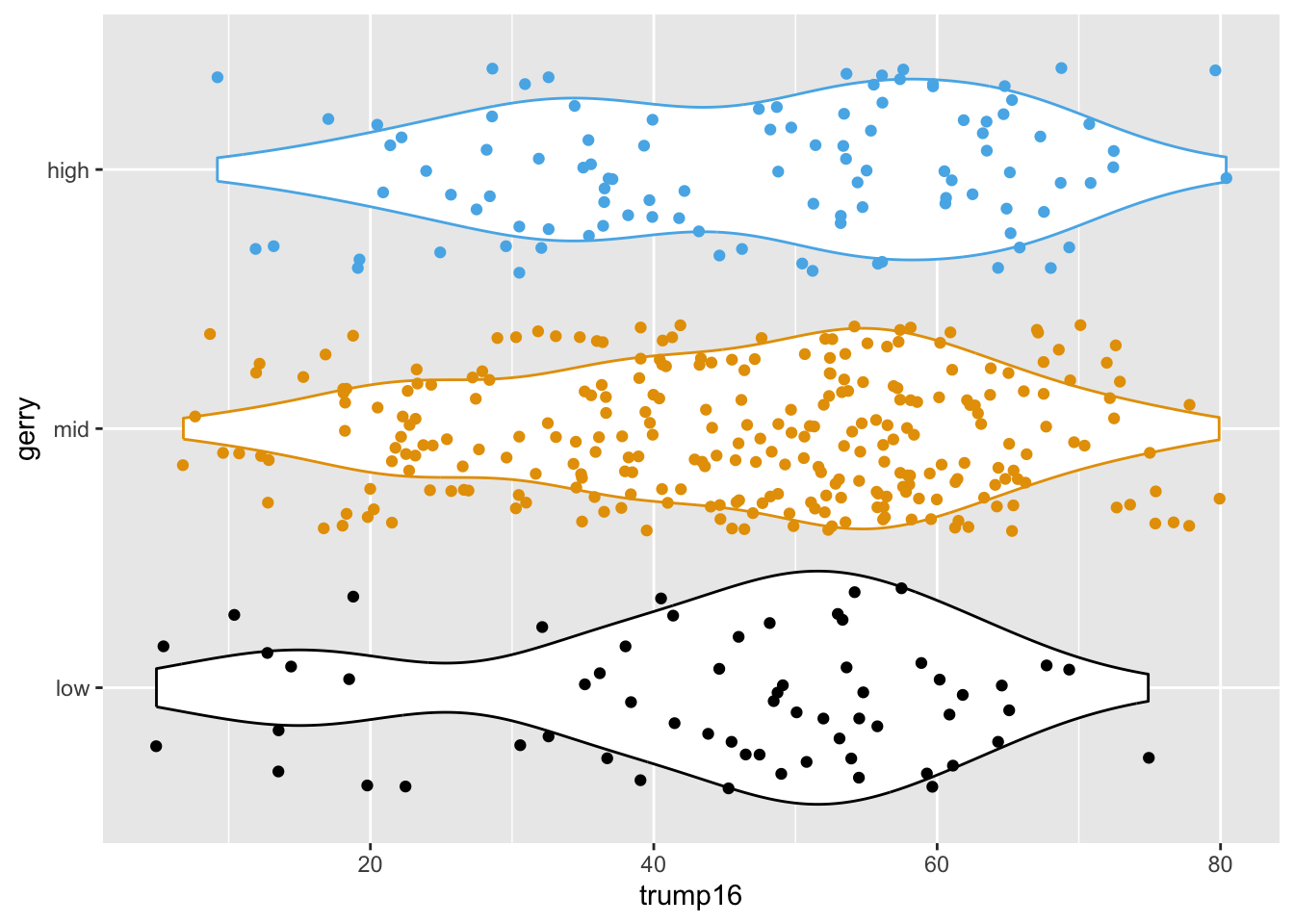
Remove legend

ggplot(
  gerrymander, 
  aes(x = trump16, y = gerry, color = gerry)
  ) +
  geom_violin() +
  geom_jitter() +
  scale_color_colorblind() +
  scale_fill_colorblind() +
  theme(legend.position = "none")

Multivariate analysis

Multivariate analysis

Analyzing the relationship between multiple variables:

  • In general, one variable is identified as the outcome of interest

  • The remaining variables are predictors or explanatory variables

  • Plots for exploring multivariate relationships are the same as those for bivariate relationships, but conditional on one or more variables

    • Conditioning can be done via faceting or aesthetic mappings (e.g., scatterplot of y vs. x1, colored by x2, faceted by x3)
  • Summary statistics for exploring multivariate relationships are the same as those for bivariate relationships, but conditional on one or more variables

    • Conditioning can be done via grouping (e.g., correlation between y and x1, grouped by levels of x2 and x3)

Application exercise

ae-04-gerrymander-explore-I

  • Go to your ae project in RStudio.

  • If you haven’t yet done so, make sure all of your changes up to this point are committed and pushed, i.e., there’s nothing left in your Git pane.

  • If you haven’t yet done so, click Pull to get today’s application exercise file: ae-04-gerrymander-explore-I.qmd.

  • Work through the application exercise in class, and render, commit, and push your edits by the end of class.