Importing and recoding data
Lecture 10
While you wait: Participate 📱💻
To keep some rows in a data frame and discard others, I use BLANK. To keep some columns and discard others, I use BLANK.
- group_by; arrange;
- filter; select;
- bye row; seeya column;
- a shovel; your bear hands;
- select; filter
Scan the QR code or go HERE. Log in with your Duke NetID.
On the horizon
Spring break is three weeks away. Here’s what happens in the meantime:
- Wed Feb 18: submit HW 4;
- Thu Feb 19: JZ posts Midterm 1 study-guide;
- Thu Feb 19: meet project teams and start proposal;
- Sun Feb 22: proposal due;
- Wed Feb 25: Midterm 1 in-class;
- Thu Feb 26: proposal feedback returned;
- Thu Feb 26: Midterm 1 take-home posted;
- Sun Mar 01: submit Midterm 1 take-home;
- Thu Mar 05: make some major project progress.
. . .
After that, I forbid any of us from thinking about this class until March 16 at the earliest.
Reading data into R
Reading rectangular data
- Using readr:
- Most commonly:
read_csv() - Maybe also:
read_tsv(),read_delim(), etc.
- Most commonly:
. . .
- Using readxl:
read_excel()
. . .
- Using googlesheets4:
read_sheet()– We haven’t covered this in the videos, but might be useful for your projects
Application exercise
Reading and writing CSV files
Read a CSV file
Split it into subsets based on features of the data
Write out subsets as CSV files
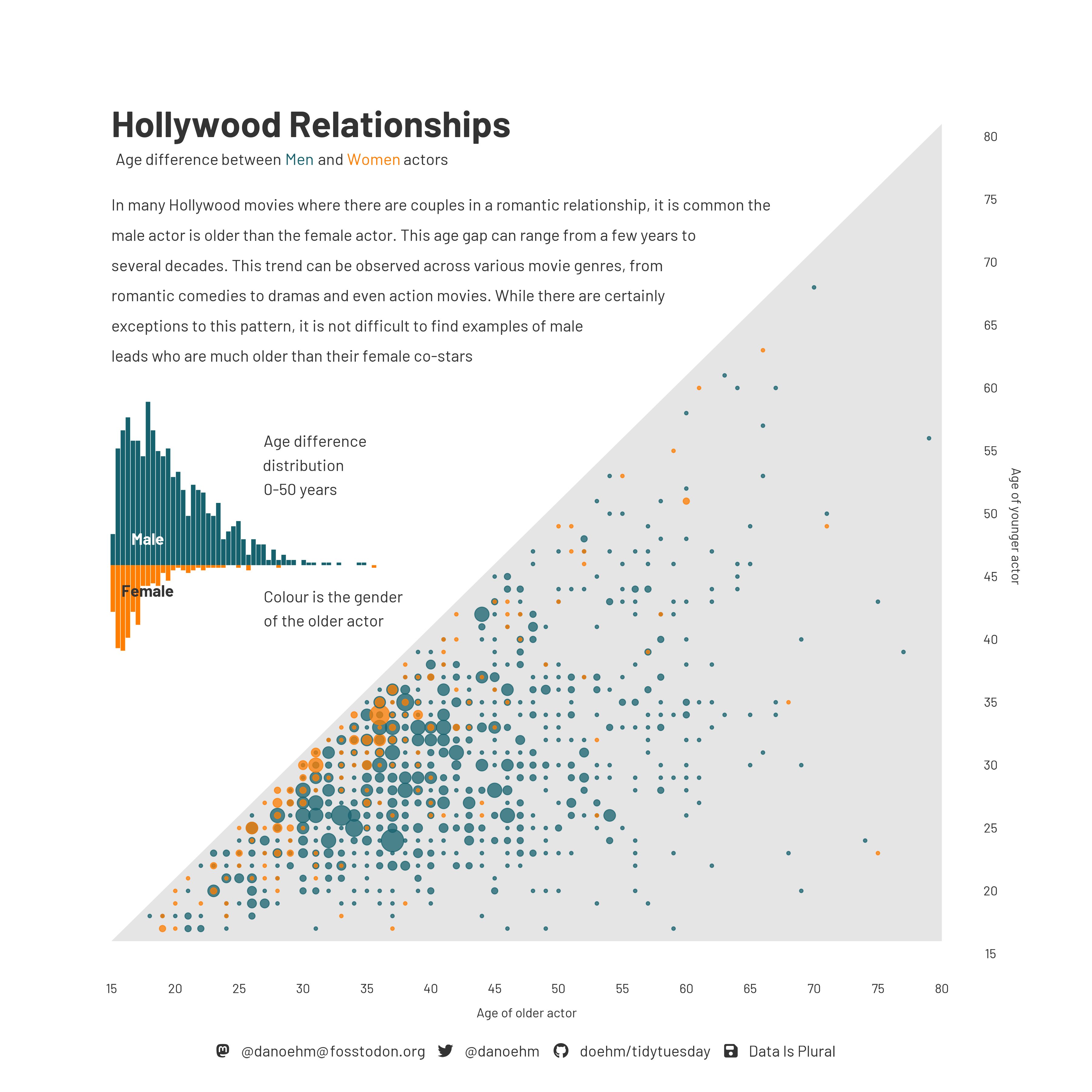
Age gap in Hollywood relationships
What is the story in this visualization?